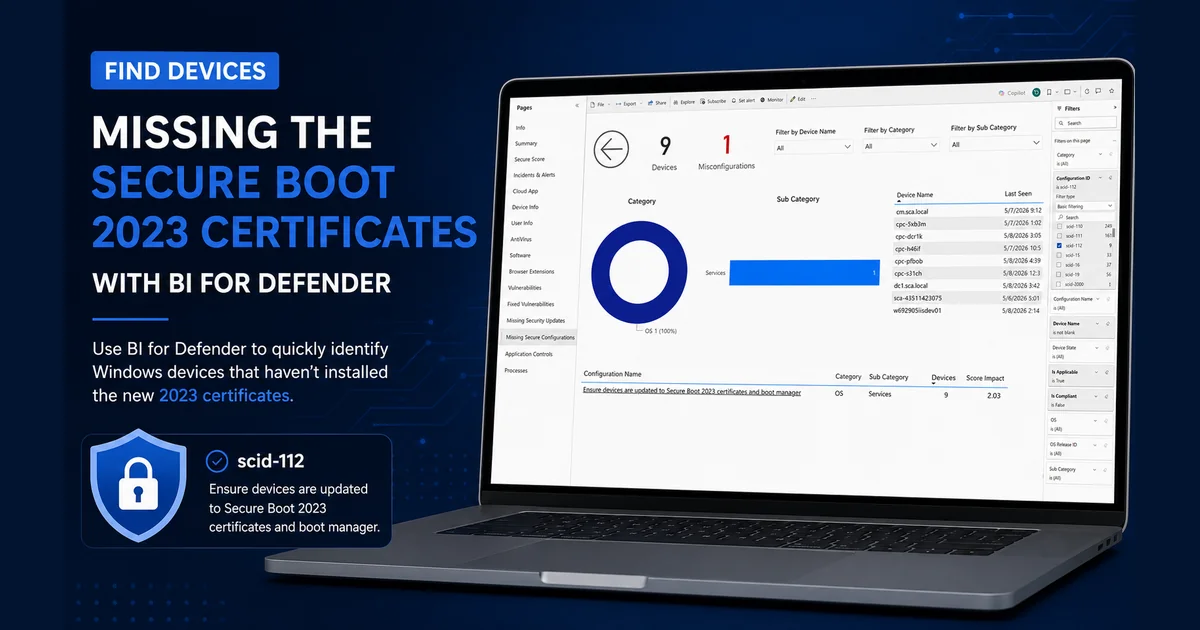
The Secure Boot certificates that ship in the firmware of most Windows devices were issued in 2011 and start to expire in June 2026. Microsoft has published updated 2023 certificates that need to be applied to every Windows device before that deadline. Devices that miss the update will lose the ability to verify boot components against an unexpired root of trust — that translates directly into Secure Boot validation failures, blocked firmware and OS updates, and devices that may stop accepting new versions of Windows.
In their announcement, Microsoft recommends using Microsoft Defender for Endpoint to assess Secure Boot status across your fleet. The guidance walks through running an advanced hunting query, interpreting the results, and pivoting on individual devices.
If you’re already running BI for Defender, you don’t need to write a query. The data is already in your Power BI workspace, on a dedicated page, behind a single filter.
Find affected devices in three steps
Microsoft tracks the Secure Boot 2023 update as security configuration scid-112: “Ensure devices are updated to Secure Boot 2023 certificates and boot manager.” That is the same identifier BI for Defender surfaces, so finding affected devices is straightforward:
- In your BI for Defender workspace, open the report and select the Missing Secure Configurations page.
- In the Filters on this page pane, expand Configuration ID and select scid-112.
- The page now lists every device in your environment that is missing the 2023 certificates, along with the last-seen timestamp for each one.
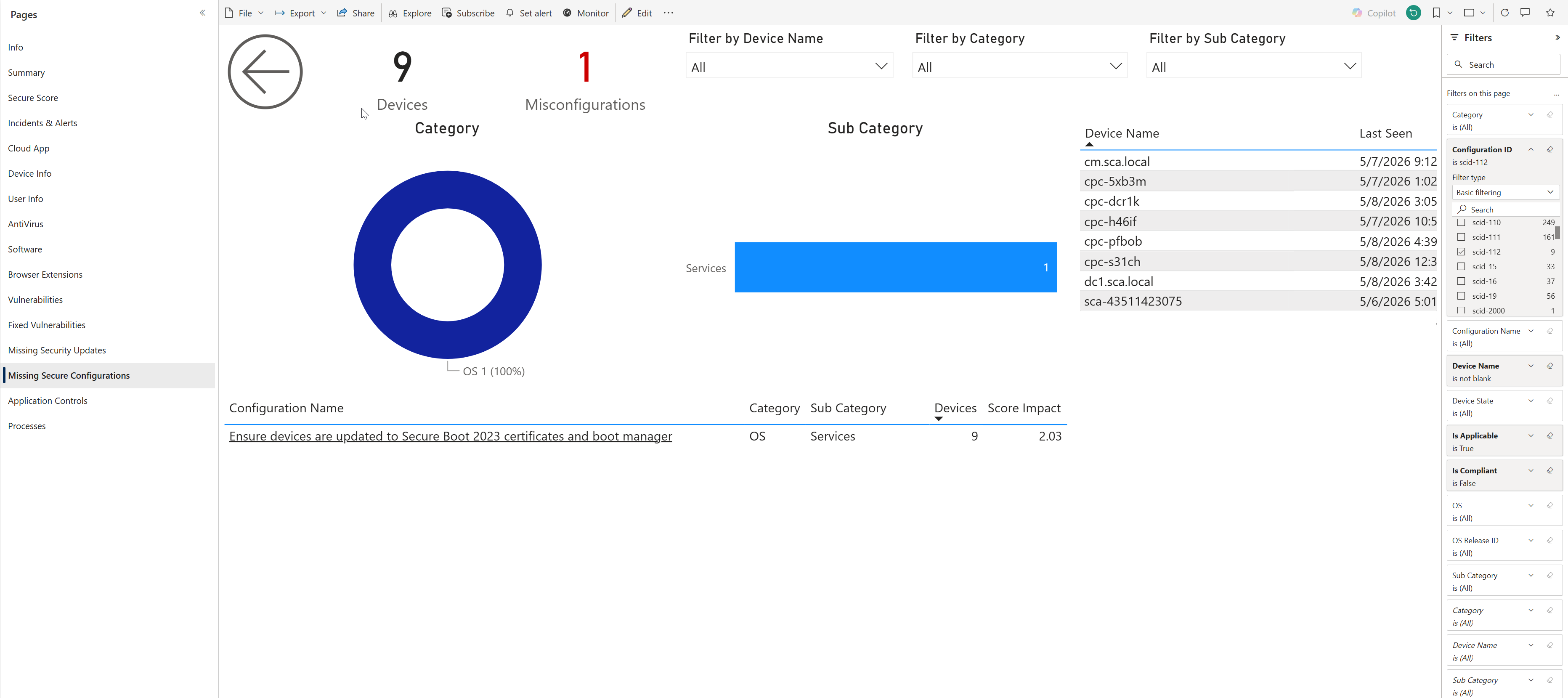
The donut chart on the page confirms the misconfiguration is in the OS category under the Services sub-category. The configuration table at the bottom shows the score impact, and the device list on the right is your remediation worklist.
From here you have everything you need to act:
- Export the device list to CSV for handoff to your patching team.
- Cross-reference against an Entra ID group to drive a targeted Intune assignment.
- Track the count week over week as your remediation campaign progresses — the same page will refresh every time the BI for Defender dataset refreshes, with no query edits required.
Why this matters before June 2026
The 2011 certificate expiration isn’t a hypothetical. Once a Windows device’s Secure Boot stack stops trusting the boot manager and bootloader signatures, three things happen, in roughly this order:
- New Windows feature updates and servicing-stack updates that depend on the 2023 certificates start to fail to install or fail to apply correctly.
- Firmware updates from device OEMs that are signed against the new certs are rejected or roll back.
- Some devices reach a state where Secure Boot has to be temporarily disabled to recover them — which is exactly the security posture you don’t want to be reasoning about under deadline pressure.
The new certificates are pushed by Windows Update on supported, internet-connected devices, but coverage varies by OS version, update channel, and tenant policy. The only reliable way to know your exposure is to measure it against your own fleet — which is precisely what scid-112 in BI for Defender answers.
Get ahead of the deadline
If you’re already a BI for Defender customer, the Missing Secure Configurations page is already in your workspace today — open it, filter to scid-112, and you have your worklist.
If you’re not yet using BI for Defender, this is one of dozens of misconfiguration findings the report surfaces out of the box, alongside antivirus posture, vulnerability inventory, missing security updates, application controls, and processes — every signal Defender for Endpoint generates, presented as a navigable Power BI report instead of a hunting query.
Ready to find your scid-112 exposure in three clicks? BI for Defender connects to your Microsoft Defender for Endpoint data and surfaces every misconfiguration, vulnerability, and compliance gap as a pre-built Power BI report. Start a free trial →