The Intune data model, with reports and an AI analyst
Device, compliance, app, update, and inventory data pulled from Microsoft Graph into one model you can report on, build on, or ask questions of. No agents on endpoints. No vendor portal. The model and your data stay in your Power BI workspace.
AI skill (Preview)
Endpoint Operations Analyst
Connect your own AI assistant to this data model and ask for today's briefing. You get up to five issues to investigate, ranked by how many devices are affected, with check-in context, Microsoft's guidance for app error codes, and the next step for each. Ask again and it builds an executive deck and a one-page HTML report.
Open source, MIT licensed, read-only. Queries run through Microsoft's Power BI MCP server with your permissions. Nothing is sent to PowerStacks.
See everything in your Intune environment
BI for Intune builds one data model from your Microsoft Intune tenant using native Microsoft APIs, with a full set of reports on top. No data warehouse. No ETL pipeline. No agents on endpoints. Connect your Entra app registration, configure the dataset, and you have production-ready reports and a model you can build on.
The model refreshes on your Power BI schedule, so the reports, your own reports, and the AI skill all see the same current picture of device health, compliance, software inventory, and update progress.
Unlike competitor reporting tools that require you to send your Intune data to a vendor-hosted portal, BI for Intune delivers reports directly in your Power BI workspace, governed by your Microsoft 365 tenant policies, your conditional access policies, and your sharing rules. Your data never leaves your environment.
Quick facts
- Data collection
- Native Microsoft APIs, no agents on endpoints
- Data source
- Microsoft Graph API (delegated or application permissions)
- Reporting
- Power BI native, your workspace, your governance
- Setup time
- Under 1 hour (Azure AD app + dataset config)
- Current version
- v67.0
- Pricing
- Annual subscription based on managed device count
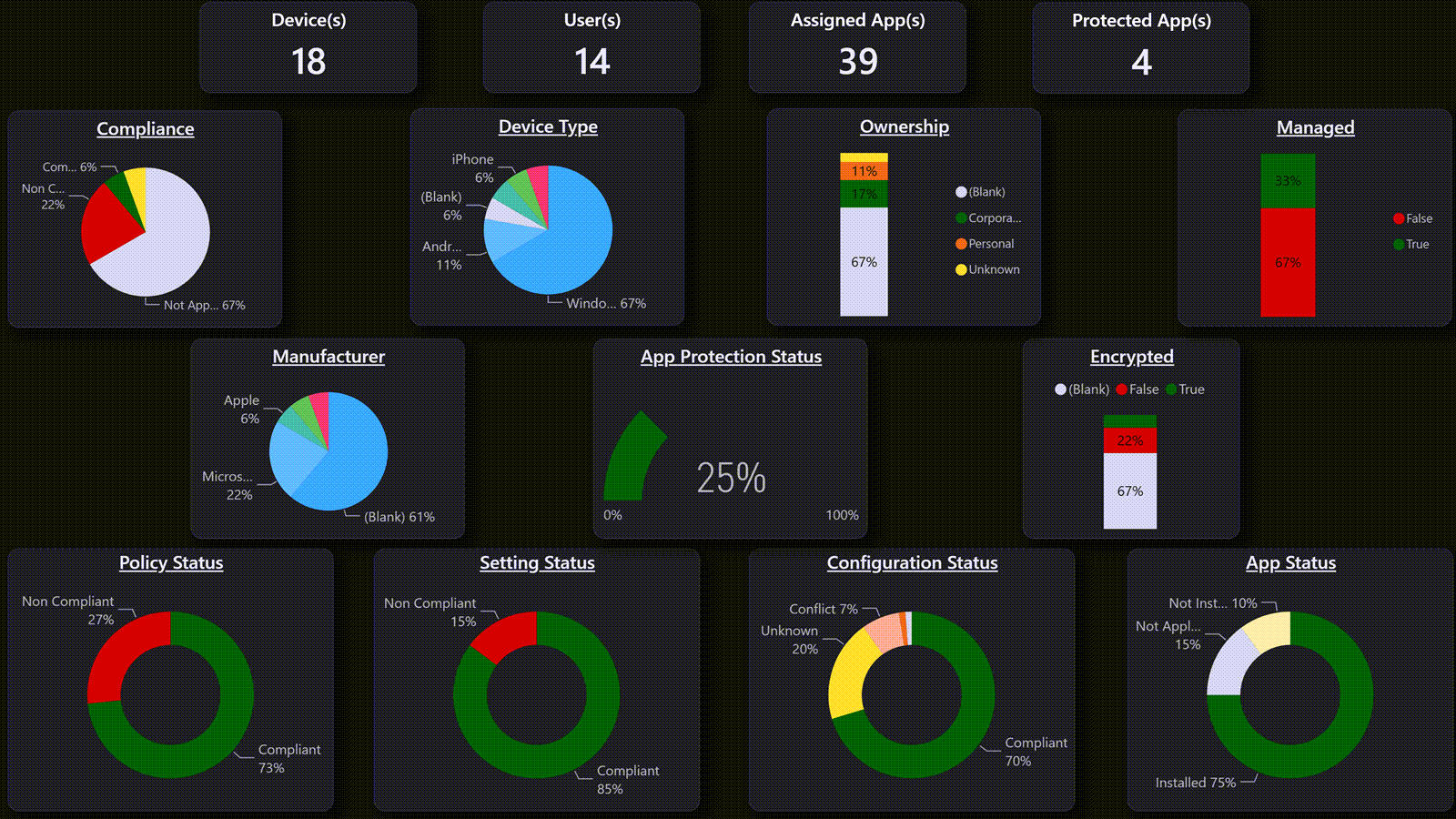
See it in action
A walkthrough of the dashboards, data connections, and reporting capabilities included with BI for Intune.
Report categories
Device Health
OS versions, hardware models, storage, encryption, Autopilot enrollment status, and last check-in across all managed devices.
Compliance
Policy compliance status by device, OS, model, and policy, with drill-through to individual non-compliant settings.
Discovered Applications
Software inventory across your entire fleet. See what's installed, version distribution, and identify unmanaged applications.
Windows Update for Business
Feature update ring status, quality update compliance, deployment progress, and devices needing attention.
Custom Inventory
Extend reporting with PowerShell-based inventory scripts for BitLocker, local admins, monitors, USB devices, and more.
Log Analytics Integration
Connect to Azure Log Analytics for extended data retention and advanced querying capabilities.
A look at the dashboards
Use the arrows to browse the dashboards, or select an image to enlarge it.
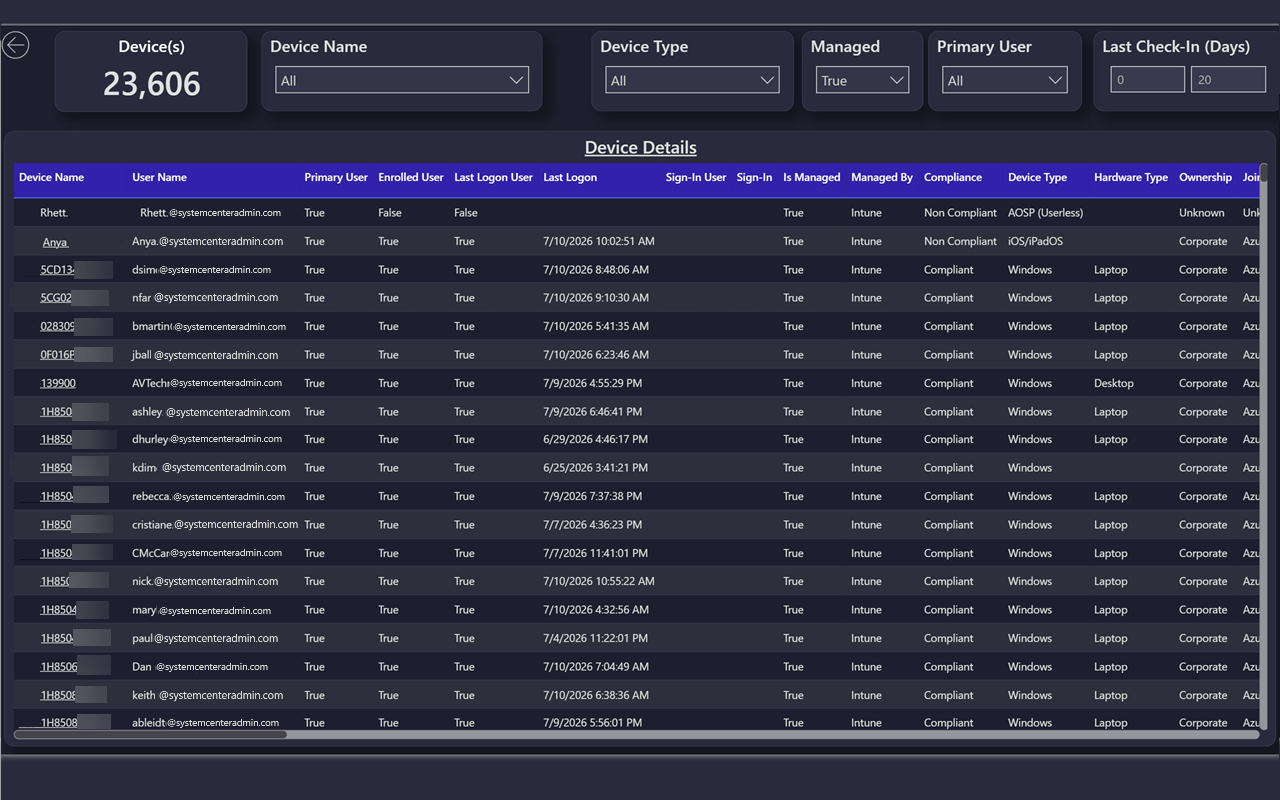
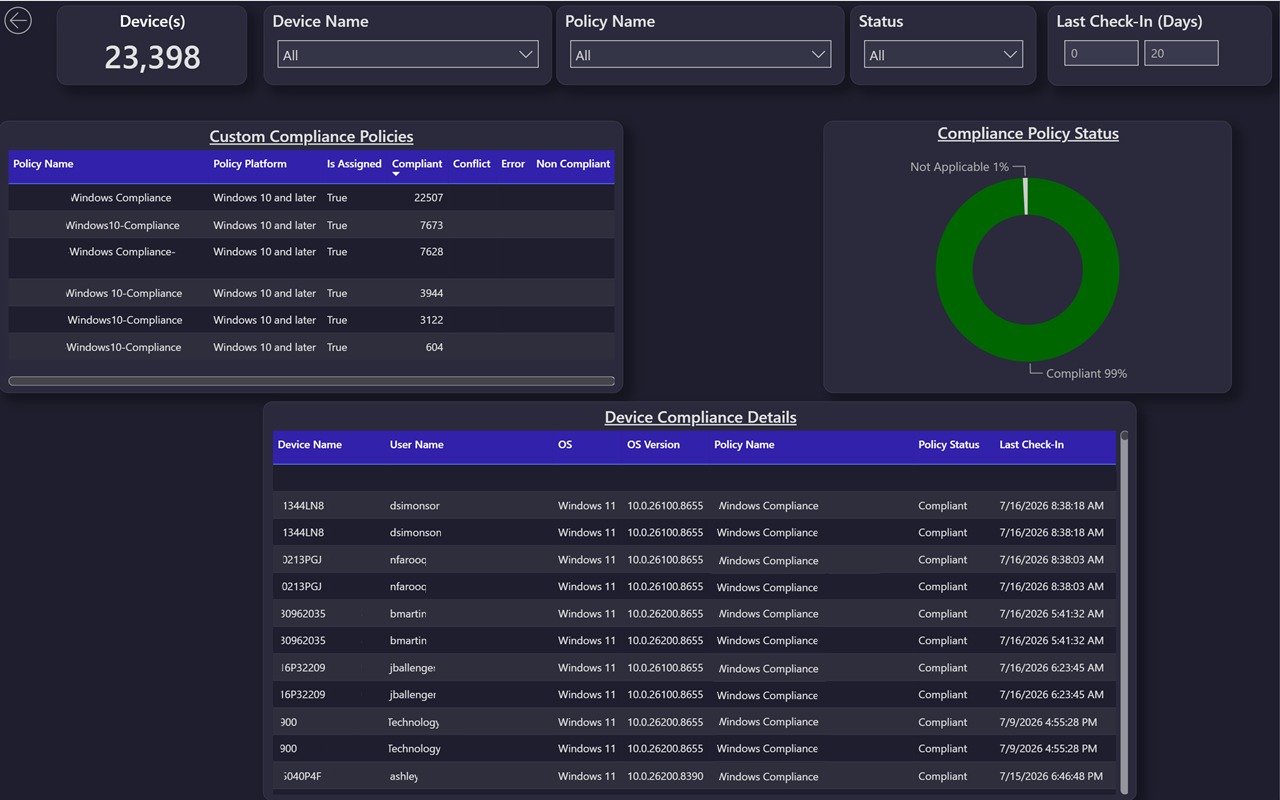
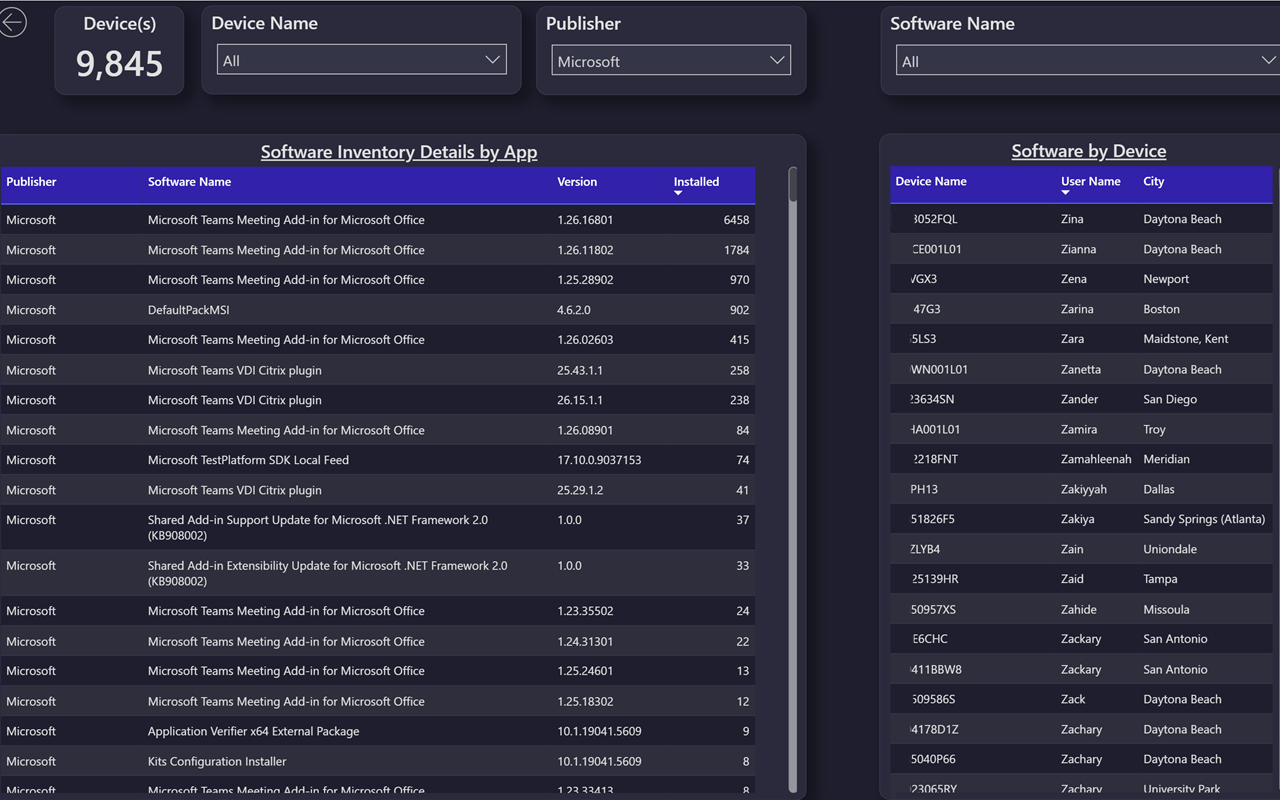
Device Details
Why Power BI, not a vendor portal
Delivering reports in Power BI rather than a proprietary vendor portal has clear advantages:
Data stays in your environment
Power BI workspaces are governed by your Microsoft 365 tenant policies, not a vendor's infrastructure.
No additional tool to learn
Your IT team already uses Power BI. Our dashboards appear right alongside existing reports.
Full customization
Add your own pages, filters, slicers, and visuals to our templates. Vendor portals limit you to the views they provide.
Enterprise governance built in
Conditional access policies, workspace sharing, sensitivity labels, and audit logging are all handled by existing Microsoft 365 policies.
The endpoint management dashboard your IT team needs
IT teams evaluating Intune reporting tools often start with the built-in admin center reports, only to discover they can't create custom views, cross-reference compliance with hardware inventory, or track discovered apps alongside device health. BI for Intune bridges this gap with a Power BI Intune template built on a star-schema data model, designed so you can create any report without writing code.
Whether you need Intune compliance reporting for audit preparation, Intune device inventory for asset management, or a complete Intune hardware inventory Power BI solution, BI for Intune provides pre-built dashboards and the data model to build your own. Track Intune discovered apps across your entire fleet, monitor Windows Update deployment, and merge Intune data with Defender and SCCM datasets for a true single-pane-of-glass view.
Organizations migrating from Configuration Manager will find BI for Intune invaluable for SCCM to Intune migration reporting. Compare device populations across both platforms and track co-management status as you transition.
Combined with BI for Defender, you also get full Intune vulnerability reporting, correlating CVE exposure, threat detections, and security posture with the device inventory you already have in BI for Intune. No other endpoint management dashboard gives you this level of cross-platform visibility while keeping all data in your tenant.
Pricing
BI for Intune is sold as an annual subscription sized to your managed device count.
Get started with BI for Intune
Try BI for Intune with a free trial license and have your first dashboards running in under an hour.