The Defender for Endpoint data model, with reports and an AI analyst
Threats, vulnerabilities, exposed devices, and secure score pulled from the Defender API into one model you can report on, build on, or ask questions of. No agents on endpoints. No vendor portal. It stays in your Power BI workspace.
AI skill (Preview)
Security Operations Analyst
Connect your own AI assistant to this data model and ask for today's security briefing: the issues to work first, ranked by devices affected, with next steps. The Preview scope is listed in the skill's README in the public library.
Open source, MIT licensed, read-only. Queries run through Microsoft's Power BI MCP server with your permissions. Nothing is sent to PowerStacks.
Security reporting that tells the full story
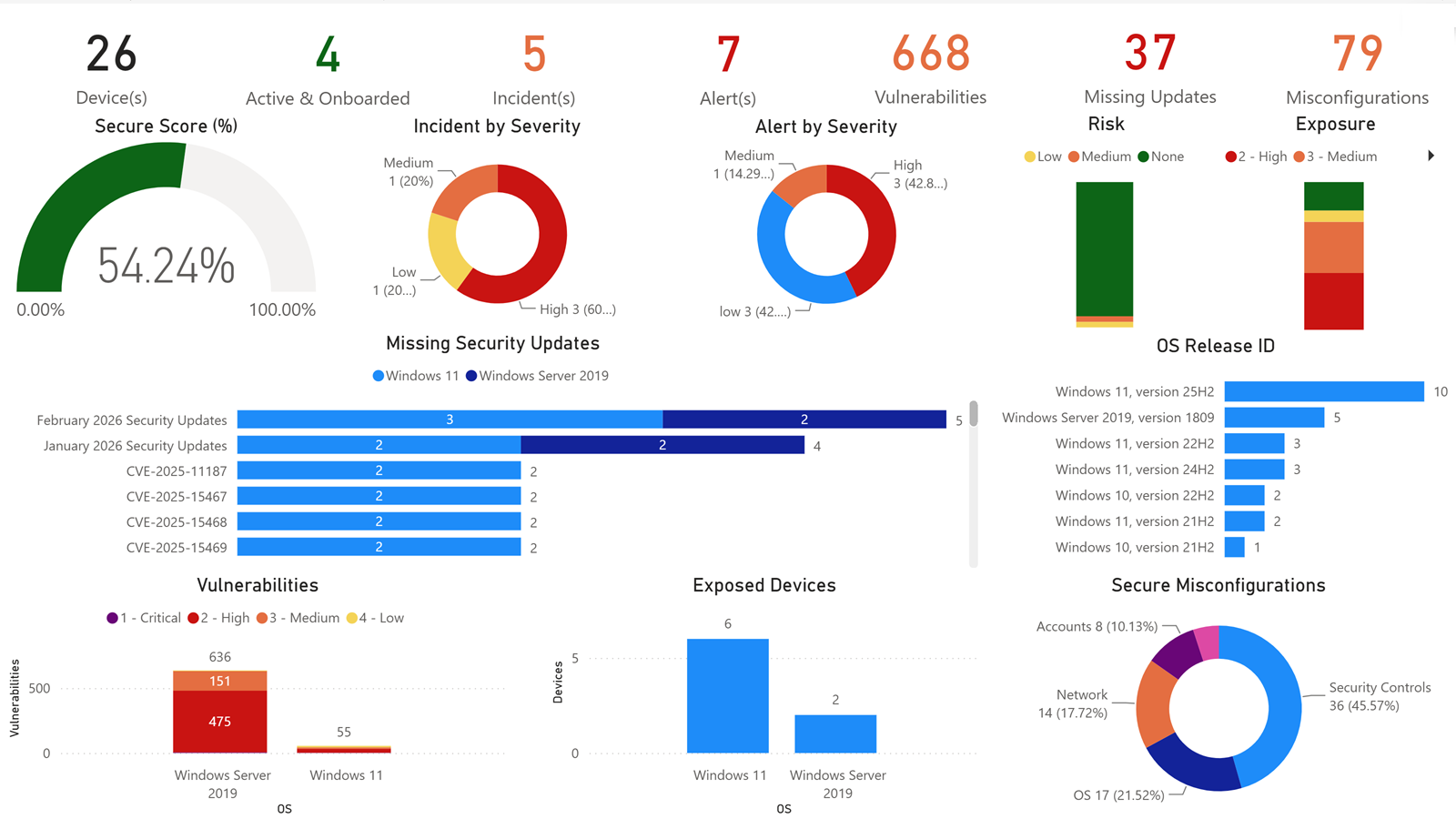
BI for Defender takes the security data from your Microsoft Defender for Endpoint environment and builds one data model from it, with reports that security teams and leadership can use and a model you can query yourself. It pulls from native Microsoft Graph Security APIs with no agents required on endpoints.
See threat detection trends, vulnerability exposure scores, application control policy compliance, and device security posture, all in dashboards that refresh automatically and allow drill-through to individual devices and alerts.
Your security data stays in your Power BI workspace, governed by your Microsoft 365 tenant policies. Unlike competitor tools that require sending security data to a vendor-hosted dashboard, BI for Defender keeps sensitive threat and vulnerability information within your compliance boundary.
Quick facts
- Data collection
- Native Microsoft APIs, no agents on endpoints
- Data source
- Microsoft Graph Security API
- Reporting
- Power BI native. Your workspace, your governance
- Setup time
- Under 1 hour (Azure AD app + dataset config)
- Current version
- v15.0
- Pricing
- Annual subscription based on managed device count
See it in action
A walkthrough of the dashboards, data connections, and reporting capabilities included with BI for Defender.
Report categories
Threat Detection & Response
Alert severity distribution, detection sources, response actions taken, and resolution timelines across your environment.
Device Security Posture
Security configuration scores, exposure levels, and risk assessment across all Defender-managed devices.
Application Control
Application control policy deployment status, blocked application events, and code integrity policy compliance.
Vulnerability Management
Software vulnerability exposure scores, CVE tracking, affected device counts, and remediation progress.
A look at the dashboards
Use the arrows to browse the dashboards, or select an image to enlarge it.
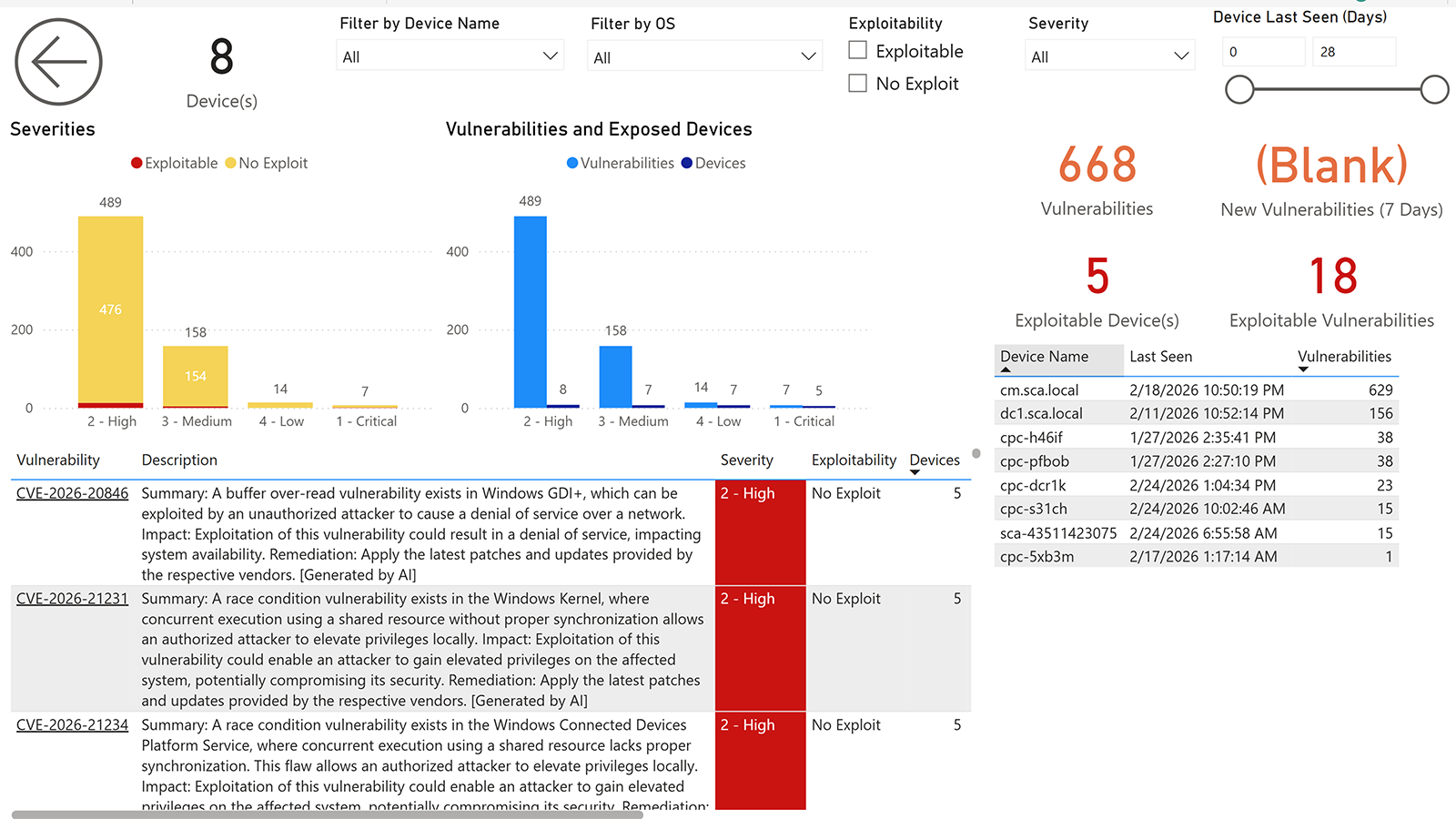
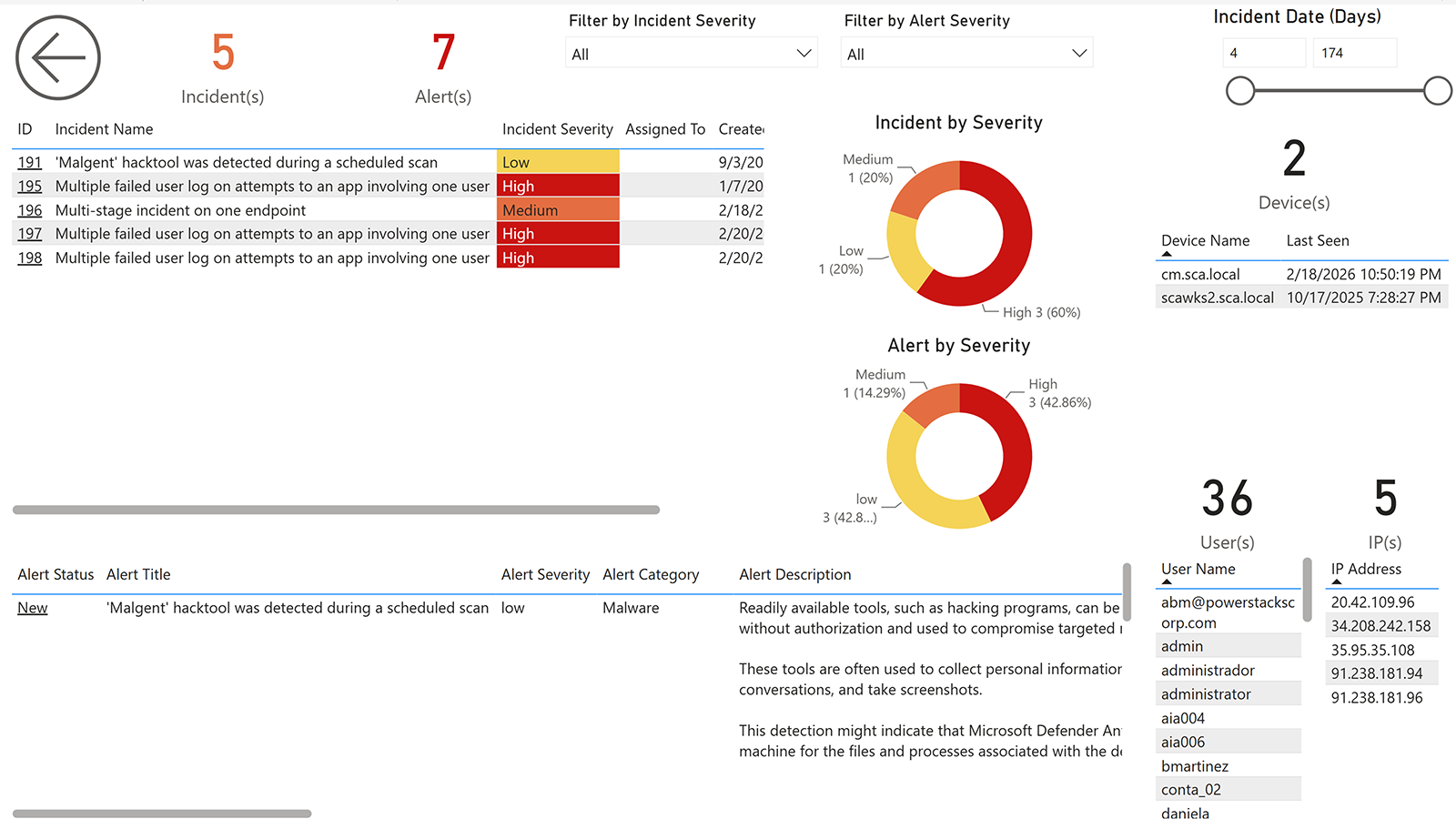
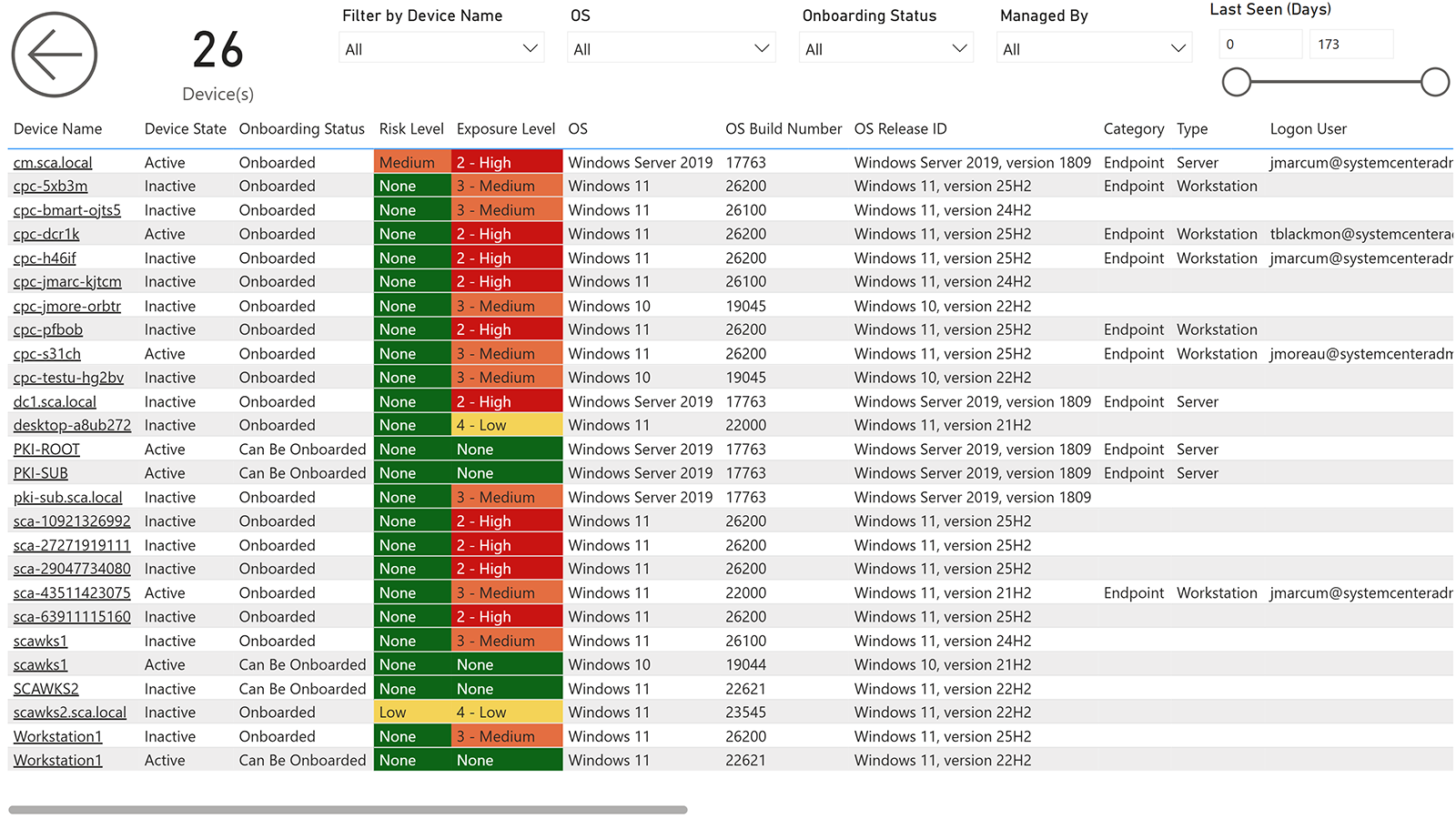
Vulnerability Management
Security data belongs in your environment
Threat detection data, vulnerability scores, and security posture metrics are among the most sensitive information in your organization. Sending this data to a vendor's proprietary reporting portal introduces unnecessary risk.
BI for Defender delivers all security analytics in Power BI, the tool your organization already governs with Microsoft 365 tenant policies, conditional access policies, sensitivity labels, and audit logging. No additional portal to secure, no additional vendor to trust with your security data.
And because we use only native Microsoft APIs, there are no agents to deploy or manage on your endpoints. Your Defender for Endpoint data flows through the same Microsoft Graph Security API that Microsoft built for this purpose.
Pricing
BI for Defender is sold as an annual subscription sized to your managed device count.
Get started with BI for Defender
Try BI for Defender with a free trial and see your security posture in Power BI.