If you manage more than a few hundred devices in Microsoft Intune, you’ve probably hit the wall with the built-in device inventory. The Intune admin center gives you a list of devices with basic filters, but when leadership asks “how many Windows 11 devices are compliant, encrypted, and checked in within the last 7 days?” — you’re exporting CSVs to Excel and spending an hour building pivot tables.
The Intune device inventory report is one of the most requested capabilities in endpoint management, and it’s one of the areas where native Intune reporting falls the shortest. Let’s look at why, and how BI for Intune solves it.
What’s Wrong with Native Intune Device Inventory
The Intune admin center’s Devices > All devices view gives you a paginated list with basic columns: device name, OS, compliance status, last check-in. You can filter by OS and compliance state, but that’s about it.
Here’s what you can’t do natively:
- Cross-filter by manufacturer, model, OS version, compliance, and encryption status simultaneously
- See device counts broken down by OS platform, device type, ownership, or managed state at a glance
- Drill through from a summary KPI to the individual devices behind that number
- Combine Intune data with Defender or SCCM data for a unified device view
- Track trends over time — how many devices were compliant last month vs. this month?
For organizations with thousands of devices across Windows, iOS, Android, and macOS, the native view simply doesn’t scale.
The Graph API Alternative (and Its Limitations)
Power users turn to the Microsoft Graph API to pull device inventory data into Power BI or Excel. The GET /deviceManagement/managedDevices endpoint returns detailed device records, and you can build a Power BI dataset that refreshes on a schedule.
This works, but it comes with challenges:
- Pagination: Graph API returns 1,000 records per page. For 5,000+ devices, you need to handle
@odata.nextLinkpagination in Power Query. - Throttling: Heavy Graph API usage can trigger throttling (HTTP 429), especially during scheduled refreshes.
- Schema complexity: The
managedDeviceresource has dozens of properties. Building the right Power Query transformations takes time. - No relationships: Raw Graph API data gives you flat tables. Building a star schema with proper relationships between devices, users, compliance policies, and apps requires data modeling expertise.
- Maintenance: When Microsoft adds or changes Graph API properties, your queries need updating.
How BI for Intune Solves Device Inventory Reporting
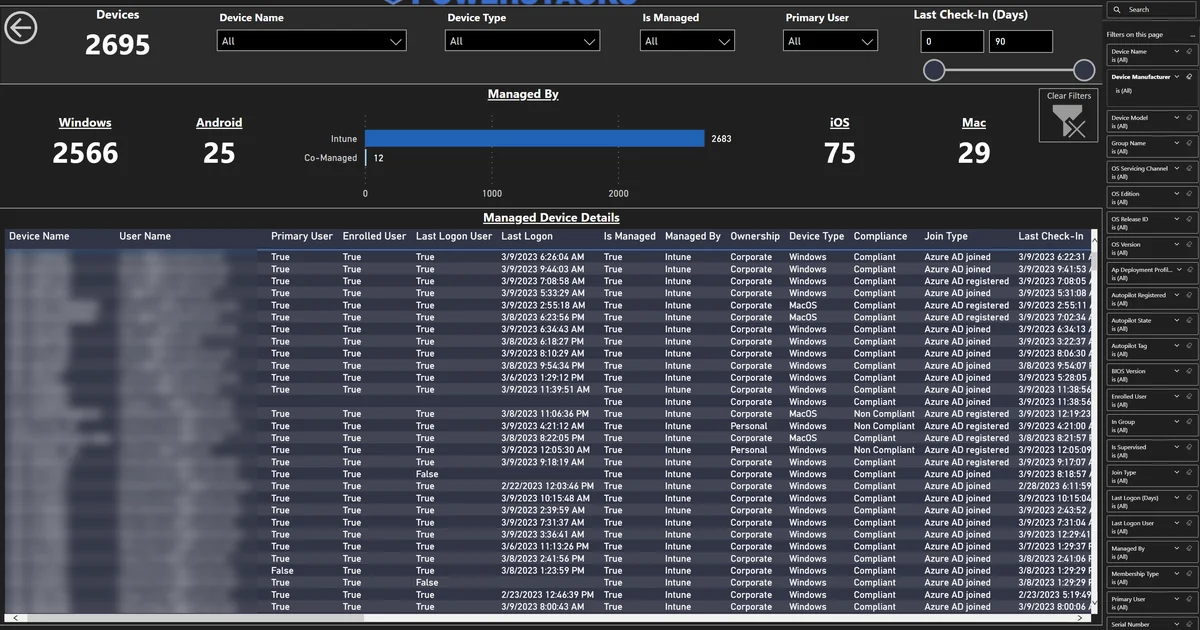
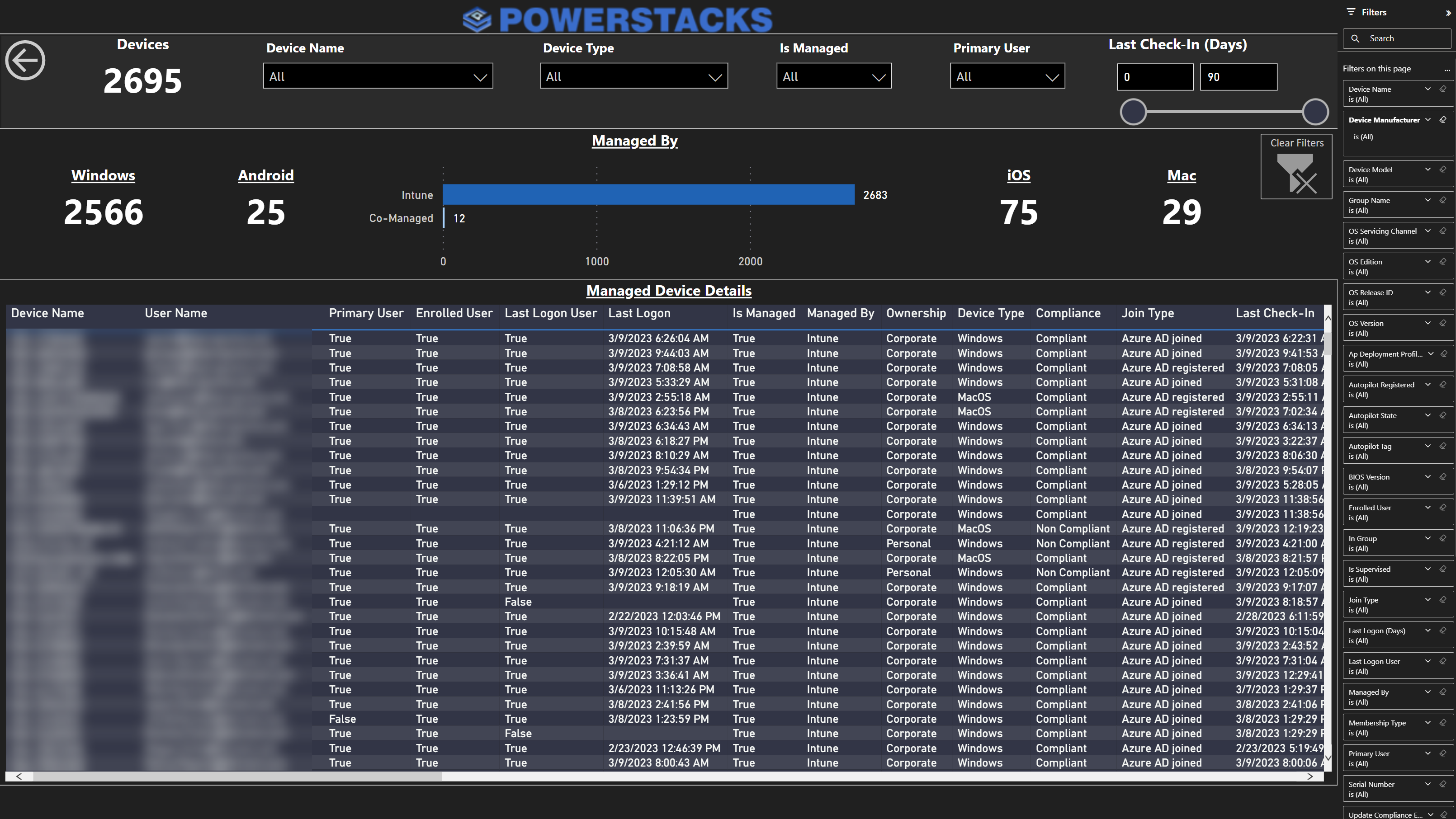
BI for Intune provides a pre-built device inventory report in Power BI that connects to your Intune data via native Microsoft APIs. Here’s what the device details dashboard looks like:
What You’re Looking At
The device inventory dashboard shows:
- Total device count (2,695 in the screenshot) with real-time filters for device name, device type, managed state, primary user, and last check-in window
- Platform breakdown — Windows (2,566), Android (25), iOS (75), Mac (29) with managed vs. co-managed segmentation
- Managed Device Details table — every device with columns for device name, user name, primary user, enrolled user, last logon user, last logon timestamp, managed state, ownership (corporate/personal), device type, compliance status, join type (Azure AD joined/registered), and last check-in date
Every column is sortable. Every visual is cross-filterable. Click “Windows” in the platform breakdown, and the entire page filters to show only Windows devices. Click “Non-Compliant” and see exactly which devices are falling behind.
Why This Matters
The difference between the native Intune view and BI for Intune’s device inventory report comes down to three things:
-
Cross-filtering: In Power BI, clicking any visual filters every other visual on the page. This means you can answer complex questions (“how many Windows 11 corporate devices are non-compliant and haven’t checked in for 7+ days?”) with clicks, not queries.
-
Star schema data model: BI for Intune doesn’t just dump raw API data into a table. It builds a proper star schema with fact and dimension tables, enabling fast aggregation and drill-through across millions of data points.
-
Your workspace, your governance: The data lives in your Power BI workspace, governed by your Microsoft 365 tenant policies. You can apply conditional access policies, sensitivity labels, and audit logging — the same controls you use for every other Power BI report.
Common Intune Device Inventory Questions BI for Intune Answers
Here are the questions we hear most from IT teams, and how BI for Intune answers them:
“Which devices haven’t checked in recently?” Filter the Last Check-In column to show devices that haven’t reported in 7, 14, or 30+ days. Identify stale records that need cleanup or investigation.
“What’s our Windows 11 adoption?” The Windows Versions visual shows exactly how many devices are on each build. Filter by device type to separate physical machines from virtual desktops.
“Are our corporate devices encrypted?” Cross-filter by ownership (Corporate) and encryption status (True/False) to see your encryption coverage. Drill through to the specific devices that aren’t encrypted.
“How many personal devices are enrolled?” Filter by ownership to see your BYOD footprint. Cross-reference with compliance status to ensure personal devices meet your security baseline.
“What hardware are we managing?” The manufacturer breakdown shows your device mix. Use this for hardware refresh planning, warranty tracking, and vendor negotiations.
Getting Started
BI for Intune connects to your Intune tenant in under an hour. There’s no agent to install on endpoints — it uses the same Microsoft Graph APIs that the Intune admin center uses, delivered as a Power BI template that refreshes on your schedule.
If you’re spending time exporting CSVs from the Intune admin center to answer device inventory questions, there’s a better way.
Ready to see your full Intune device inventory in Power BI? BI for Intune provides pre-built dashboards for device inventory, compliance, app deployment, and more — all in your Power BI workspace. No agents, no vendor-hosted portals, no data leaving your tenant. Start a free trial →