
At PowerStacks we love our customers. Some more than others, but we do love them all. One of my personal favorites, who we have a standing monthly knowledge transfer meeting with, recently showed me some amazing things he was doing with our BI for Intune Power BI reports and Copilot. I immediately thought to myself, I have to blog this. It is very cool.
He said, “I am using Cowork for this,” and down the rabbit hole I went.
The Copilot Rabbit Hole
The Microsoft documentation around Copilot is an absolute mess. Multiply that by their insane overuse of the word “Copilot” and just trying to figure out how to do anything with the product is a nightmare. Heck, figuring out what the “product” even is was a nightmare.
I did not want Copilot for Power BI. I wanted to use Cowork to run DAX queries against models running in the Power BI service. I got halfway there. Copilot could read the tables in the model and even write a DAX query and hand it to me. But it could not run the query. And it could not tell me why it could not run the query, only that it could not. So I went around and around in circles, asking Copilot to do the same task in different ways, assuming I was just writing the prompt wrong. The whole time I was reading the docs and triple checking every setting they claim is required.
Along the way I learned that “To allow users to access Cowork, admins must enable usage-based billing,” which is stated plainly in this document. Contrary to what several people online said, this is required even if you already have Copilot premium licenses. Per the docs, “Usage is independent of Microsoft 365 Copilot licensing and available through usage-based billing.”

Then someone online asked, “Do you have WorkIQ turned off?” And down another rabbit hole I went. What the heck is WorkIQ, and do I need that too? My point here is that the whole Copilot story is a confusing one, and it is probably a big reason Microsoft is seeing such poor adoption.
Here are the two things you actually need to know if you want to use Copilot to query Power BI. You must enable usage-based billing, and you must also have a Copilot premium license. The moment I purchased the Copilot premium license, “Cowork” showed up next to Chat at m365.cloud.microsoft. I was never able to find that requirement in any docs, and it seems strange since Cowork bills against usage-based billing, but that is what enabled it.
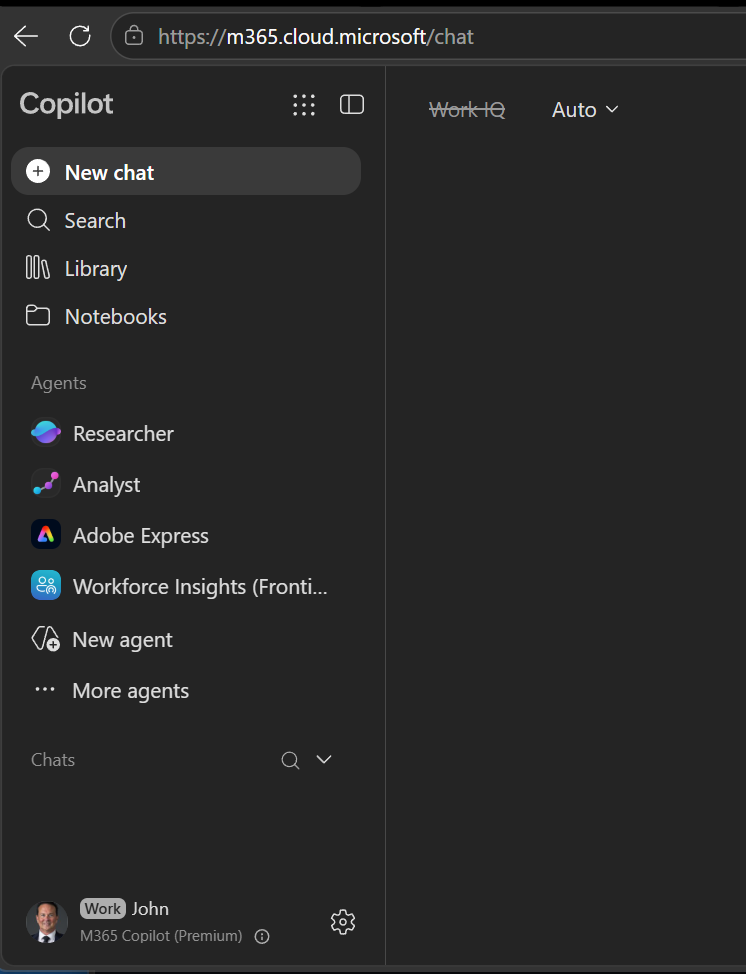 Before: no Cowork.
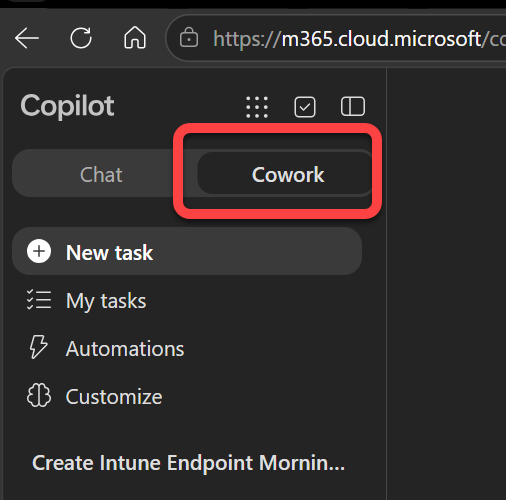 After the premium license: Cowork shows up next to Chat.
Now Compare That to Claude
Let me give a more precise example of the difference. When I put my prompt into Claude, it told me flat out, “I have no connected tool that can query the bi_for_intune semantic model.” I asked it what it needed. It found the options, weighed a community Power BI MCP server against Microsoft’s own official connector, recommended the community version because the setup was much simpler, installed it, and then ran the request in my prompt. Sit with that for a second. Claude knew about Microsoft’s own Power BI connector and wired the whole thing up itself. Copilot, which is Microsoft’s own tool, never once mentioned it. But did we not already decide that Copilot does not work as well as Claude or ChatGPT?
Meanwhile, Copilot kept telling me silly things like “Use Microsoft 365 Copilot Chat. Try asking directly in Microsoft 365 Copilot Chat,” while I was already in Microsoft 365 Copilot Chat. Claude, on the other hand, installed the MCP server, gave me explicit instructions to restart Claude Code, and told me exactly what to expect when it came back up so that I would be connected to the newly installed server.
Long story short, it took me about five minutes to get Claude able to query my BI for Intune data. It took several days to finally get Copilot to do the same. Claude even caught the reason we could not connect at first. I had forgotten to enable “Users can use the Power BI Model Context Protocol server endpoint (preview)” under the Integration and Copilot-and-AI area in the Power BI tenant settings. That setting, plus selecting “Approved for Copilot” on the semantic model, are both requirements.
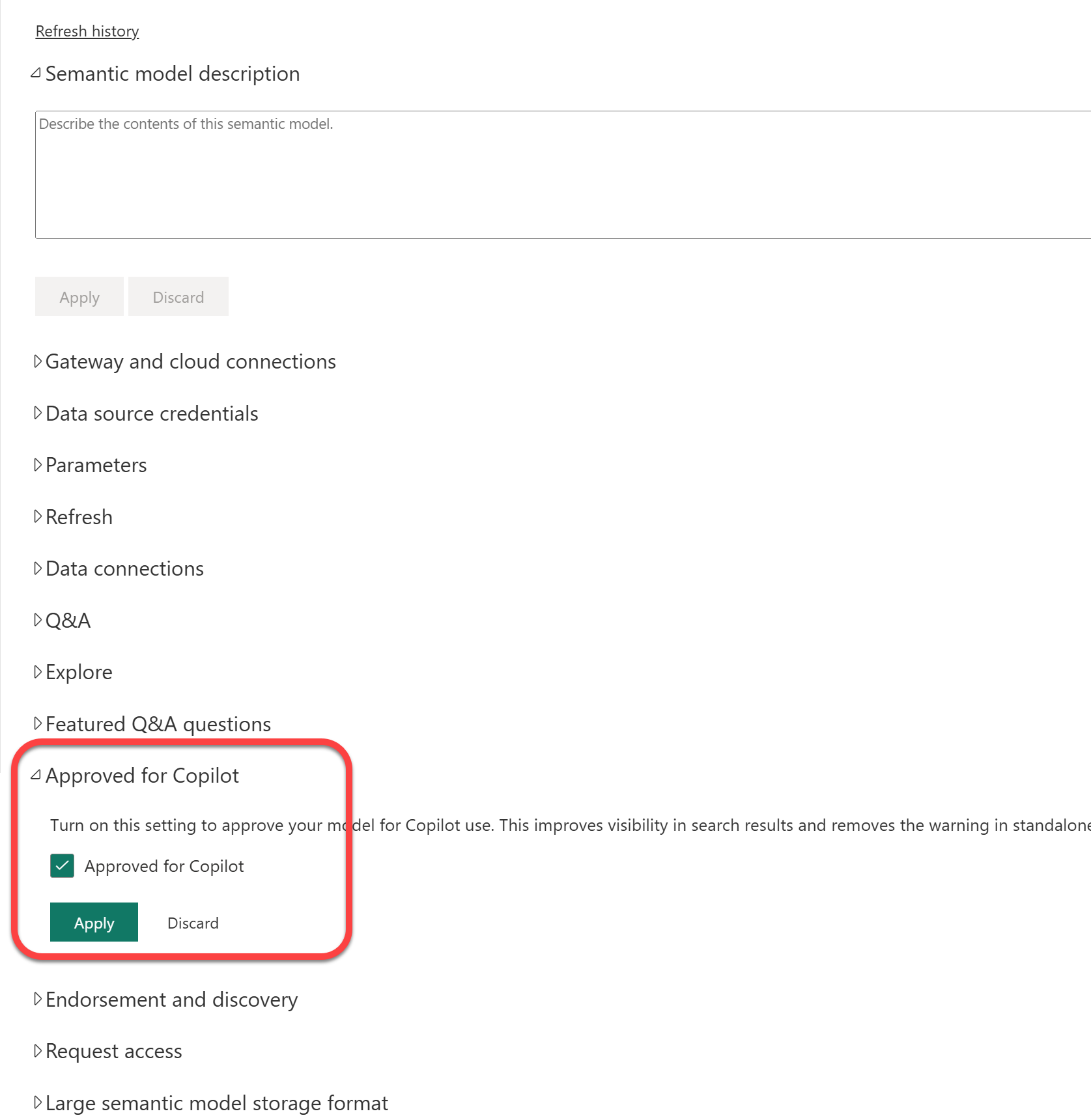
What You Actually Need
Whatever tool you use, connecting AI to a Power BI semantic model comes down to a handful of settings:
- In the Power BI tenant settings, under the Integration and Copilot-and-AI area, enable Users can use the Power BI Model Context Protocol server endpoint (preview).
- On the semantic model itself, select Approved for Copilot.
- For Copilot specifically, enable usage-based billing and have a Copilot premium license. Buying the premium license is what finally surfaced Cowork for me.
That is the short version that would have saved me a week.
Putting Them to the Test
Once I had both Claude and Copilot connecting to the semantic model, I had them each run the same, quite complex prompt, which was actually provided to me by that customer I mentioned. He has it set up to email himself a genuinely useful daily report.
The prompt is long. It asks for an executive summary, priority endpoint concerns, a Windows patch risk top 10, an application version watchlist, KPI report suggestions, follow-up actions, and more, all built from the live BI for Intune data. Rather than paste the whole thing here and double the length of this post, you can download the full prompt and adapt it for yourself.
The Results
Here is what each tool produced. Select either one to open the full briefing.
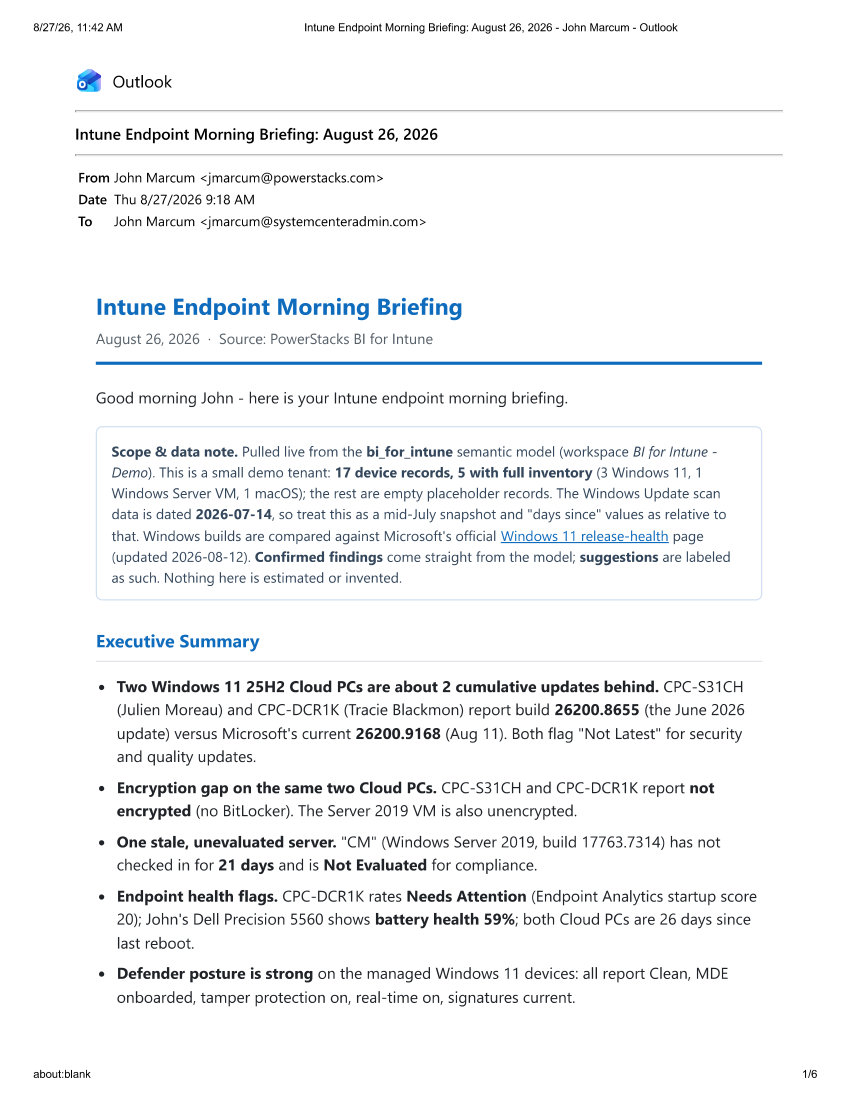
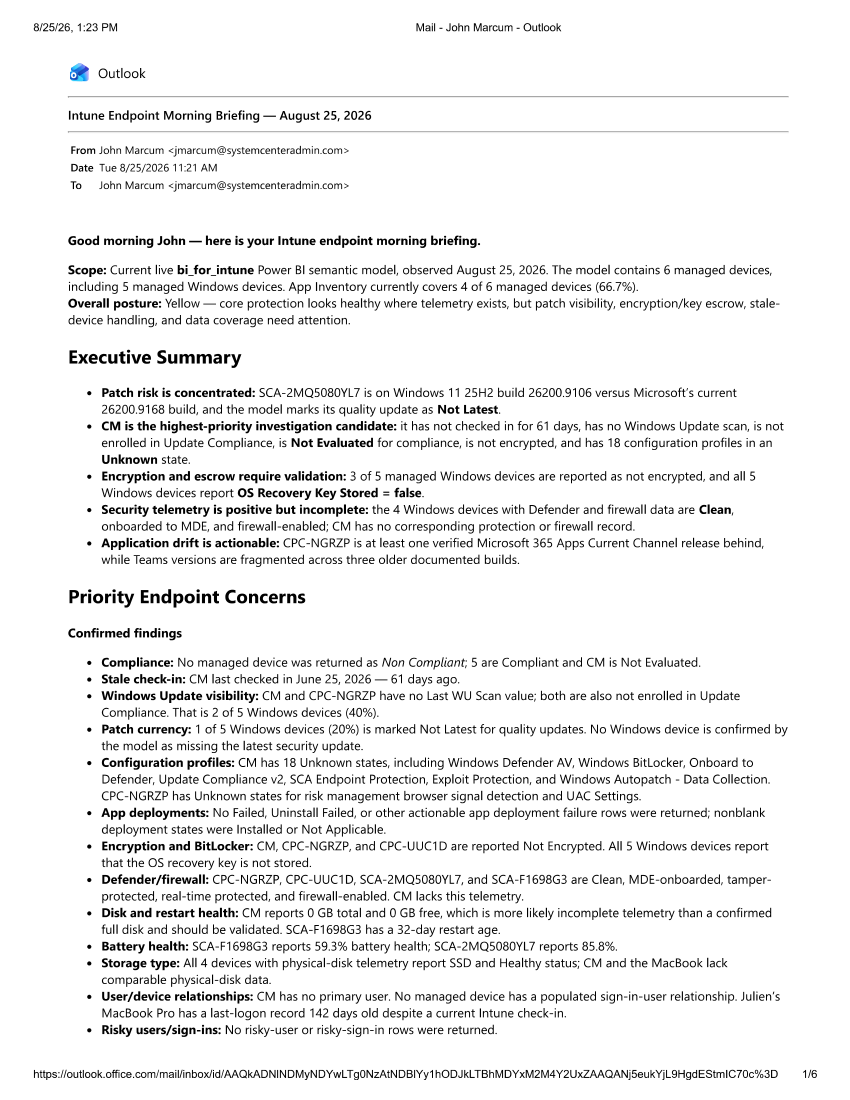
Both did a genuinely good job once they were connected. Copilot’s briefing is thorough and detailed. Claude’s came back as a clean, formatted HTML email, with severity labels and confirmed findings clearly separated from suggestions. Personally, I prefer the email from Claude, but you can judge for yourself.
Either way, the value of connecting AI to your BI for Intune workspace is undeniable. Whether you want a morning briefing emailed to you every day, or you just want to ask questions about your endpoints in plain spoken language, it works, and it is genuinely useful. Give it a try, and let us know how AI has made your Intune data more usable for you.