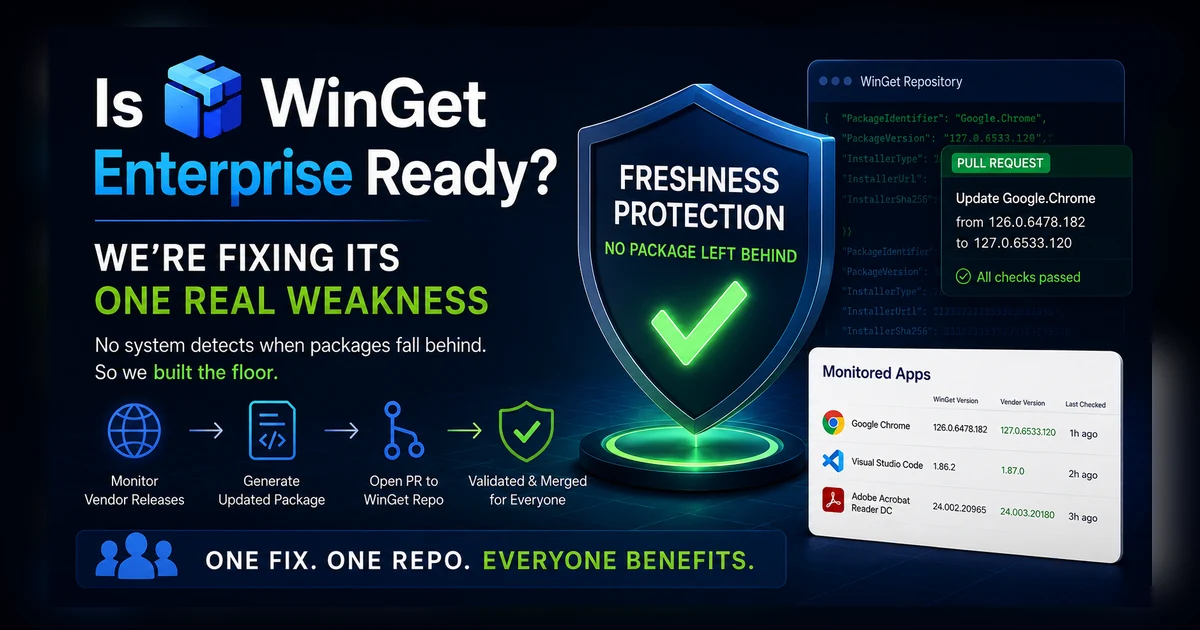
Ben Whitmore over at Patch My PC wrote a piece a couple weeks ago called “Is WinGet Enterprise Ready?” and you should read it. It’s careful, it links a primary source for every technical claim, and Ben is upfront that he works for a company that sells the alternative. I’ll be just as upfront: I co-founded PowerStacks, we make App Store for Intune, and our catalog reads the public WinGet repository, so I have a dog in this fight too.
Here’s the thing. I agree with most of what he wrote.
Where he’s right
WinGet’s validation pipeline is genuinely strong on security. It hash-verifies every binary, scans it with multiple engines, and runs the installer in a sandbox before anything merges. I dug into that pipeline in Is WinGet a Crowdsourced Repository?, and it holds up far better than the label suggests. Ben’s fair points are less about security and more about the lifecycle. The sandbox validates a clean install, which is a bit different from the upgrade a real machine actually goes through, from the specific version it already has to the new one. Upkeep varies too: plenty of packages are maintained by their vendor, others by community contributors, and who tends a given package can change over time. There isn’t a built-in customization layer that carries across versions, and there’s no native Intune app type for community packages, so they have to be wrapped before Intune can deploy them. He’s right on that, and wrapping the vendor’s own installer into a native Intune package is exactly what App Store for Intune does.
These are fair, and worth being clear-eyed about. But notice they’re all things you can work around or build on top of. There’s one he raises that’s different, because it’s a gap nobody had filled.
The one that matters most
But read his freshness section closely, because it’s the one that’s fixable. In his words: “no system detects when packages fall behind.” Plenty of people do care about this. The folks who build tools like Komac, the community automation that files most of the routine version bumps, even a few competitors quietly monitoring large lists of their own. What I haven’t seen is someone doing it out in the open, as a service you can actually look at, with the fixes handed straight back to the shared repository. Popular apps with active bots stay current. Niche and enterprise apps can sit stale for a long time with nobody watching, and there’s “no floor under the freshness distribution when automation silently fails.”
That last line is the whole problem in a sentence. WinGet doesn’t lack freshness because the idea is broken. It lacks a floor. Some packages are watched closely and some are watched by no one, and there’s no safety net under the ones nobody is watching.
So we built the floor.
What we built
We now track the vendor’s latest release for a growing list of applications and compare it to what WinGet actually ships. We’re early on this, but the roadmap already has more than 2,000 applications lined up, and I expect the list to fill in quickly. When WinGet is behind, we open a pull request to bring the package current. You can see the whole list, with each app’s WinGet version, the vendor version, and when we last checked, on our Monitored Apps page. If an app you care about isn’t on it yet, there’s a form right there to ask us to add it. For the short version of how the program works, without the argument wrapped around it, see Keeping WinGet Current.
The fix lands in the public WinGet repository. Not in a private copy of it. That distinction is the entire point, so let me sit on it for a second.
Nobody has a room full of people checking websites
There’s a comfortable story that curated catalogs are better because a team of humans is watching vendor releases. I want to be honest about that story, because I think it’s mostly a story.
Nobody has a room full of people opening thousands of vendor download pages every morning to see what shipped yesterday. At that scale it has to be automation. It’s automation for the curated vendors, and it’s automation for us. That’s not a knock on anyone. It’s just how this actually works.
So the real difference isn’t people versus bots. The real difference is what the automation feeds. A curated catalog’s automation feeds a private copy you can’t inspect. Ben says as much himself, that you can’t see a curated vendor’s testing or verify their internal freshness targets. Our automation feeds the public WinGet repository, in the open, where anyone can watch the pull requests land.
We use Komac to do it, the same open-source tool the community’s most prolific contributors use. It pulls the new installer, hashes it, builds the updated manifest, and submits the PR through Microsoft’s normal validation. Nothing exotic, nothing proprietary. The same front door everyone else uses.
We’re helping everyone, including our competitors
Here’s my favorite part, and I mean that.
Every fix we push to WinGet improves the source for everyone. Every admin running winget upgrade. Every tool built on the community repository. And, as Ben points out, some curated catalogs are themselves repackaging community manifests rather than working from vendor binaries. If a catalog is built on WinGet manifests, then our fixes flow straight into it. We are, in a real and literal way, improving our competitors’ products.
While I’m on that distinction, let me be crystal clear about which side of it we’re on. App Store for Intune works from vendor binaries, not repackaged manifests. We read the WinGet manifest for its metadata: where the vendor publishes the installer, the SHA256 to check it against, the silent install switches, and the detection rules. Then we pull the vendor’s own installer from that URL, hash-verify it against the manifest, and package that exact binary. We do not repackage a community manifest, and we do not serve a copy from our own servers. The manifest is the recipe. The vendor’s binary is what we ship.
And I’m glad to. A healthier WinGet is good for the entire Windows ecosystem. We’ll still build the enterprise layer on top of it, that’s our business, but the foundation everyone stands on gets better for free. I’d rather compete by making the commons better than by keeping a better copy to myself.
About that VS Code example
If you want proof the gap is real and not just theoretical, look at Visual Studio Code, one of the most popular apps there is. As I write this, WinGet is two releases behind the current stable build. And if you scroll the version history in the repo, it skipped two releases entirely, 1.127 and 1.128, during a handoff between maintainers. That’s exactly the failure mode Ben described, happening to a marquee app that plenty of people assume is always current.
Sometimes “behind” doesn’t even mean nobody noticed. Sometimes there’s already a pull request sitting in Microsoft’s review queue, waiting to merge. That’s a different bottleneck, and it’s Microsoft’s to solve, but the effect on you is the same: the version you pull is old. Our monitoring catches both cases and tells you which one you’re looking at.
The rest of his checklist
While I’m here, a few of Ben’s other points deserve a straight answer.
On detection, he’s right that an MSI ProductCode changing every release breaks ProductCode-based detection and leaves an app looking perpetually uninstalled. But the fix is standard: ARP-based detection keyed on name, version, and publisher. Everyone serious does it, we do it too, and it isn’t a differentiator. It also isn’t really a WinGet problem. In a lot of cases WinGet makes detection easier, not harder, because the manifest carries the Add/Remove Programs data itself, so the detection rule is right there rather than something you have to work out.
The rest are things App Store for Intune adds on top of WinGet, using it as the source rather than replacing it.
No native Intune app type for community packages? We wrap every app with PSAppDeployToolkit, convert it to .intunewin, and hand it to Intune’s standard Win32 pipeline. No customization layer? PSADT is the customization layer. The clean-install path gets tested but not the upgrade from your existing version? That’s a fair gap, and automated upgrade testing is on our roadmap, more on that below.
I won’t pretend we’ve solved everything on his list, but I’ll tell you what we’re solving next. Upgrade-regression testing and customization that carries across versions aren’t there today, and they’re squarely on our roadmap.
The testing piece especially isn’t magic, and it doesn’t need a room of people. It’s automatable. The plan is to spin up a disposable Windows machine, install each update on top of the version it replaces, confirm it lands cleanly, capture what it wrote to Add/Remove Programs, confirm it removes cleanly, then throw the machine away. At the volume we deal with, a handful of apps changing on any given day, that’s a very automatable amount of work. It’s roadmapped, not shipped, so take it as direction rather than a promise. But the direction is the point: the rigor a curated catalog is built on is increasingly something you can automate, in the open, on top of WinGet.
And the freshness floor, the one he said was missing, exists now.
So, is WinGet enterprise ready?
For the apps enterprises actually deploy, kept current at the source, in the open, with a native path into Intune and detection that doesn’t lie? It’s a lot closer than it was two weeks ago.
If there’s an app you depend on that’s falling behind, tell us and we’ll put it on the watch list. It costs you nothing, and the fix helps everyone who uses WinGet, us and our competitors included. I’m fine with that.