How Customers Benefit
- More Detailed Insights – These reports go beyond high-level compliance data, offering deeper analysis of update behaviors and trends.
- Proactive Issue Resolution – Quickly identify and resolve update failures, ensuring a healthier device ecosystem.
- Flexible Deployment – Available via GitHub, these reports can be customized and adapted to suit your organization’s needs.
- Community-Driven Improvements – Built based on real customer feedback, these reports are tailored to address the most pressing challenges in update management.
Get Started Today
These reports are now available to BI for Intune customers on GitHub. You will find the instructions on how to use them in our documentation. Whether you need to fine-tune your update strategy, improve compliance tracking, or proactively address update-related issues, these reports provide the detailed insights you need.

Get the Windows Update for Business reports on GitHub
Check them out and let us know what you think! We’re committed to continuously improving BI for Intune, and your feedback helps us shape the future of Windows Update for Business Reports reporting.
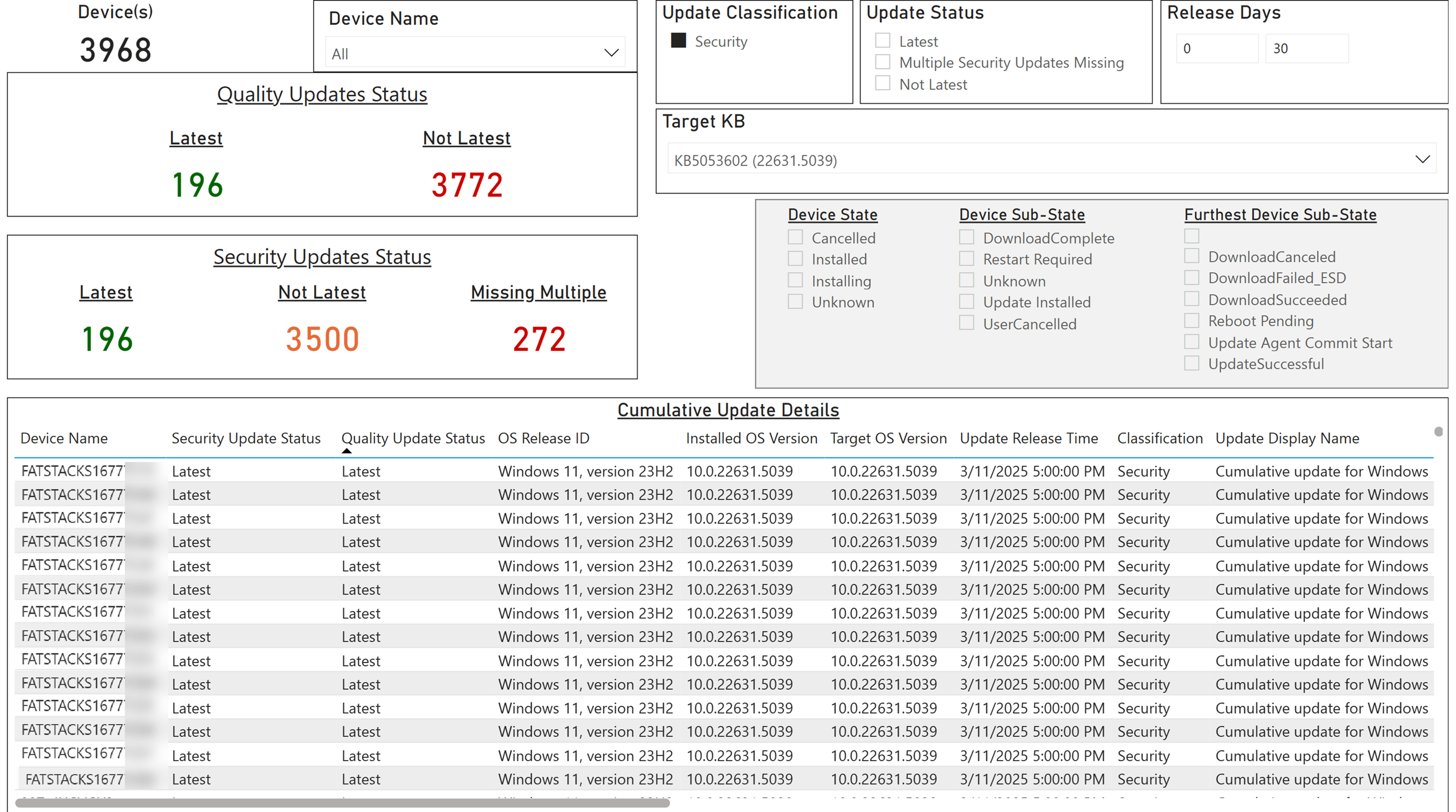
Cumulative Updates
Provides an overview of the deployment status of monthly cumulative updates, highlighting compliance levels and devices that require attention.
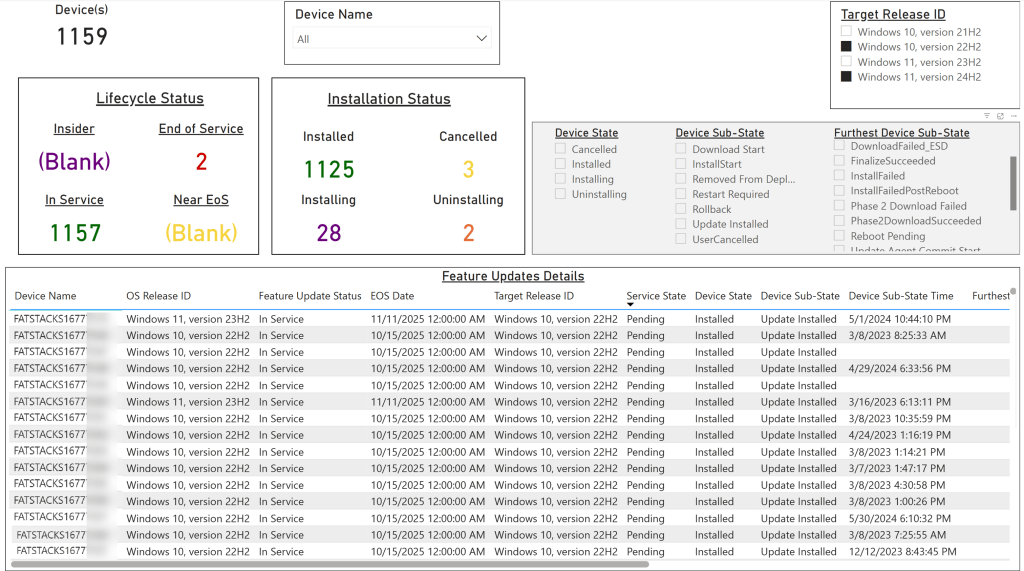
Feature Updates
Tracks the rollout of Windows feature updates across the organization, helping admins assess adoption and identify issues.
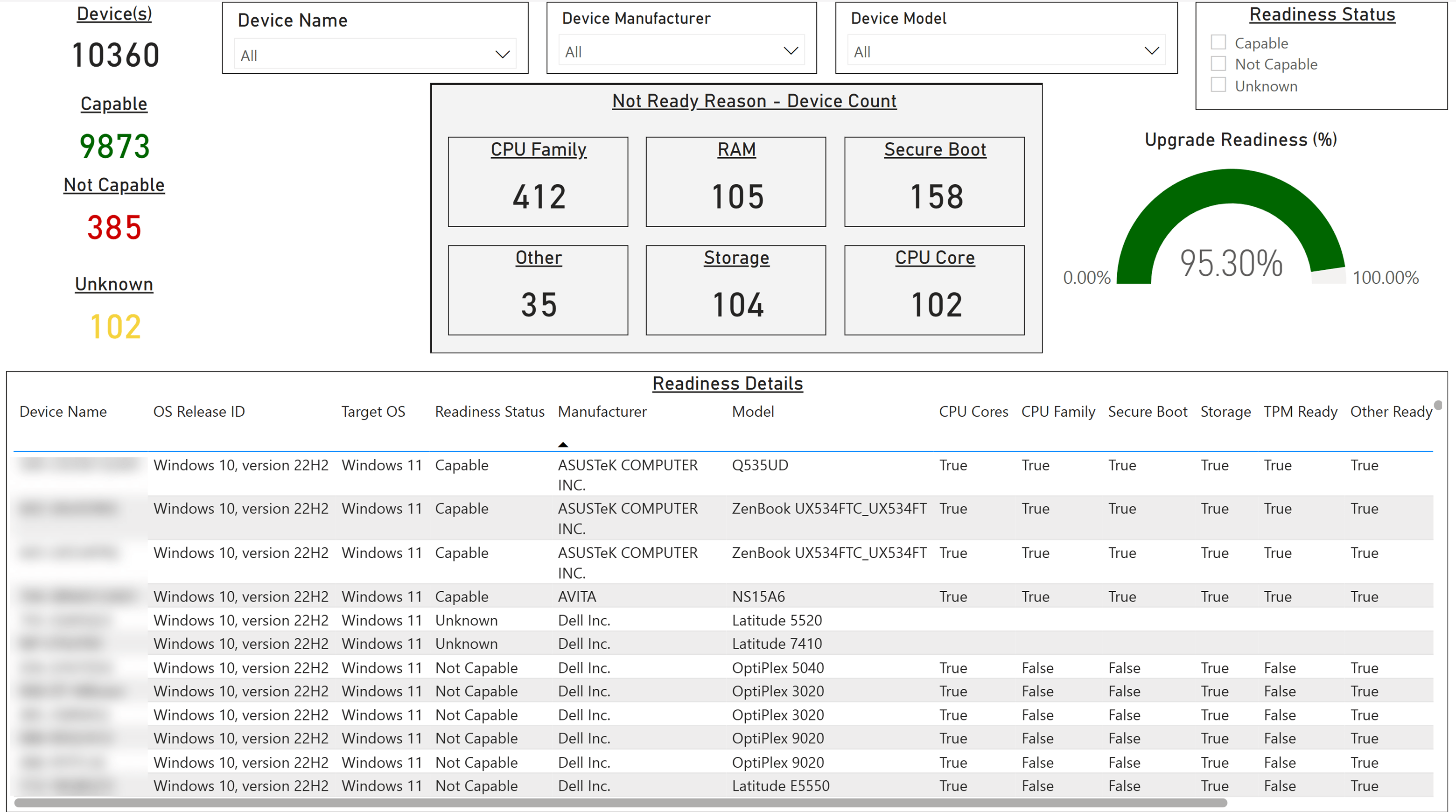
Windows Upgrade
Focuses on Windows version upgrades, offering insights into migration trends and potential blockers.
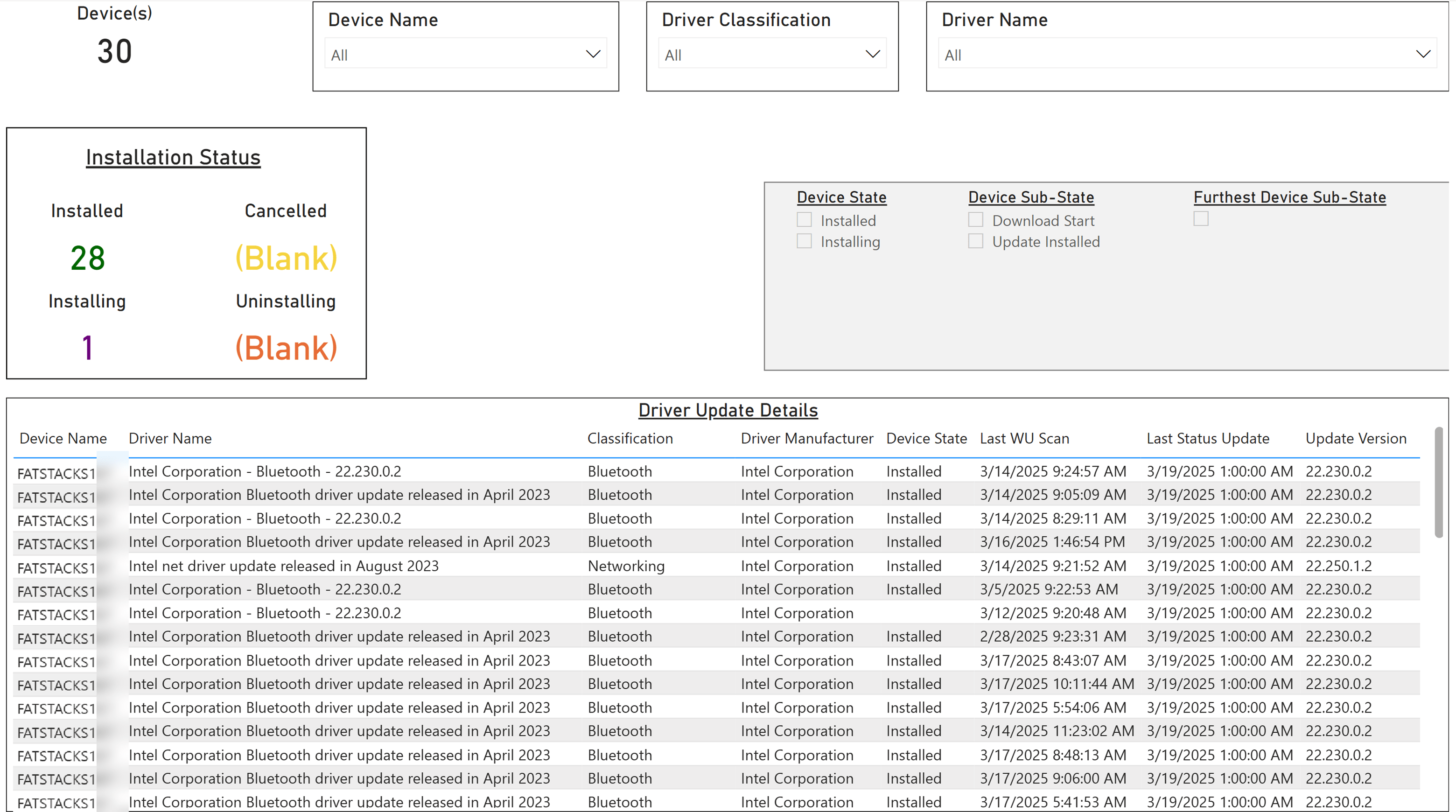
Driver Updates
Tracks the installation of drivers coming from Windows Driver Update Management in Microsoft Intune.
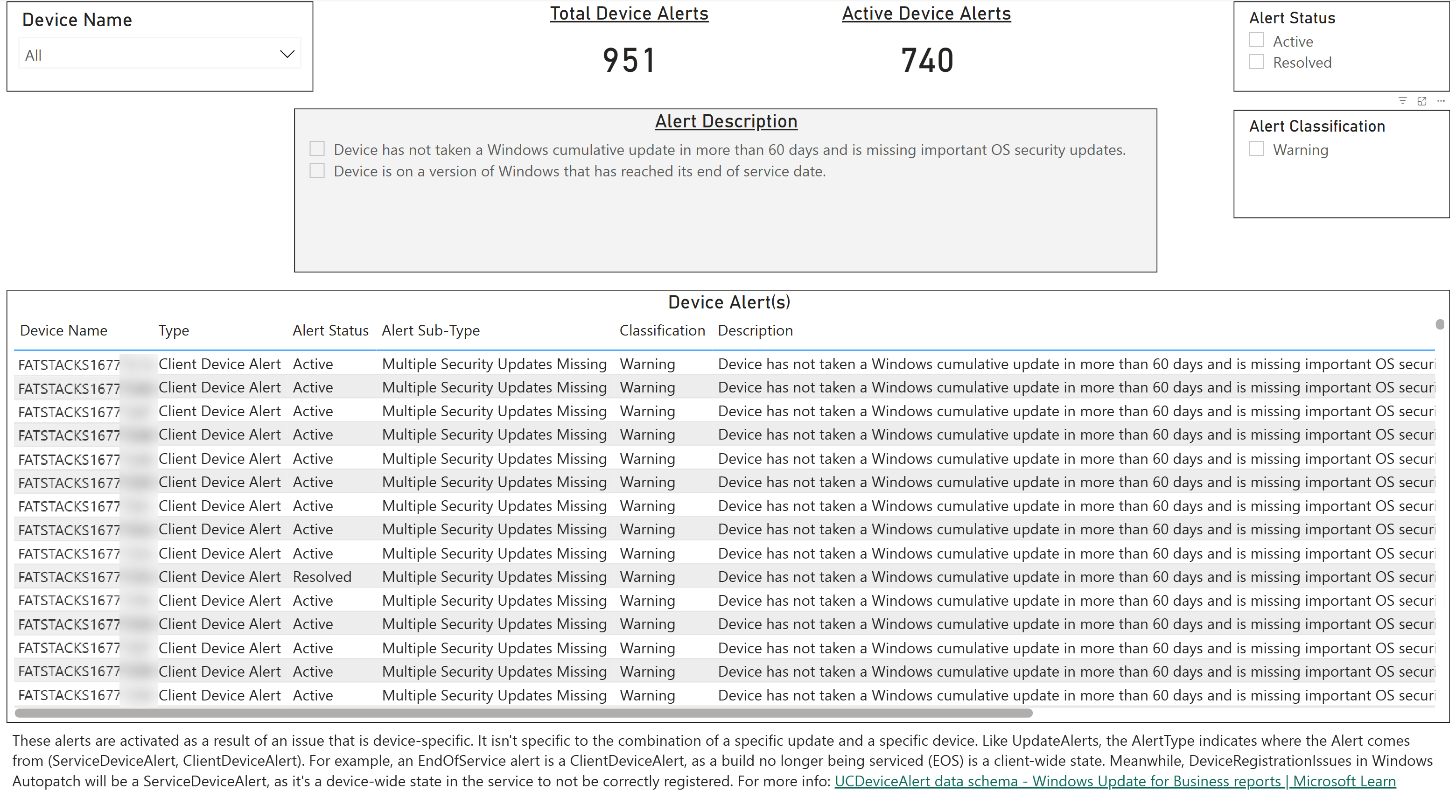
Device Alerts
These alerts are activated as a result of an issue that is device-specific. It isn’t specific to the combination of a specific update and a specific device.
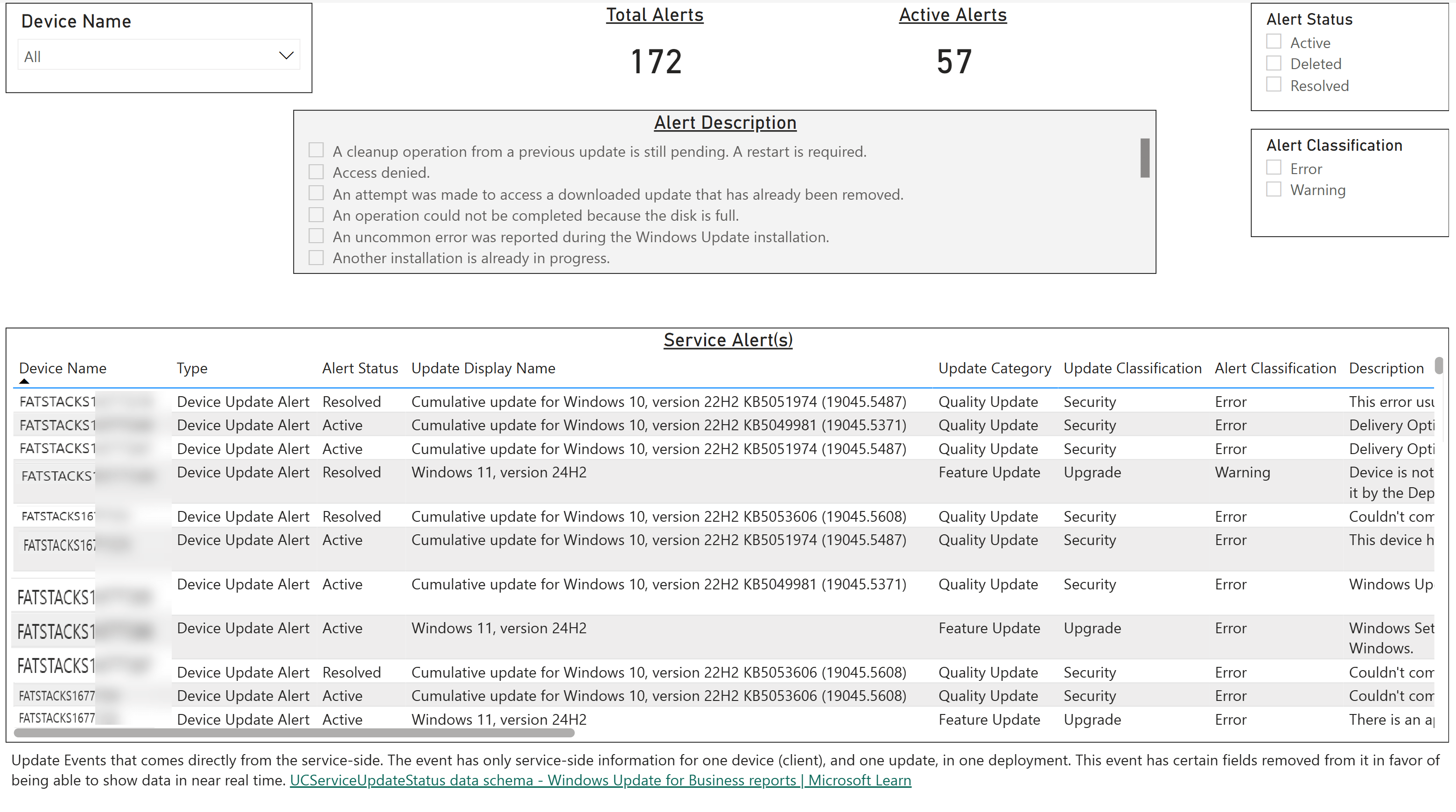
Service Alerts
Alert for both client and service updates. Contains information that needs attention, relative to one device (client), one update, and one deployment (if relevant)
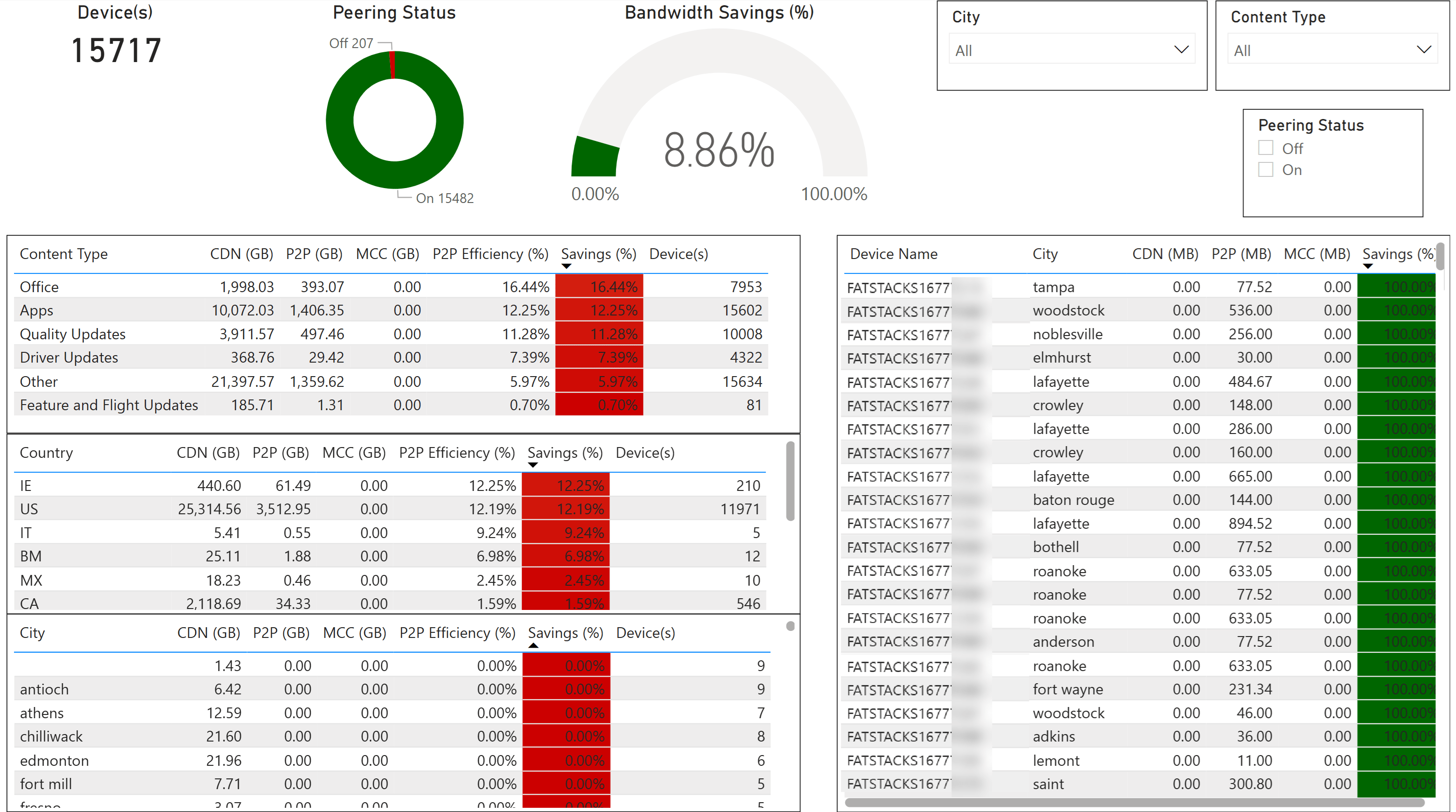
Delivery Optimization
Provides information on bandwidth utilization across content types in the event they use Delivery Optimization and Microsoft Connected Cache.
In-Depth Windows Update for Business Reports
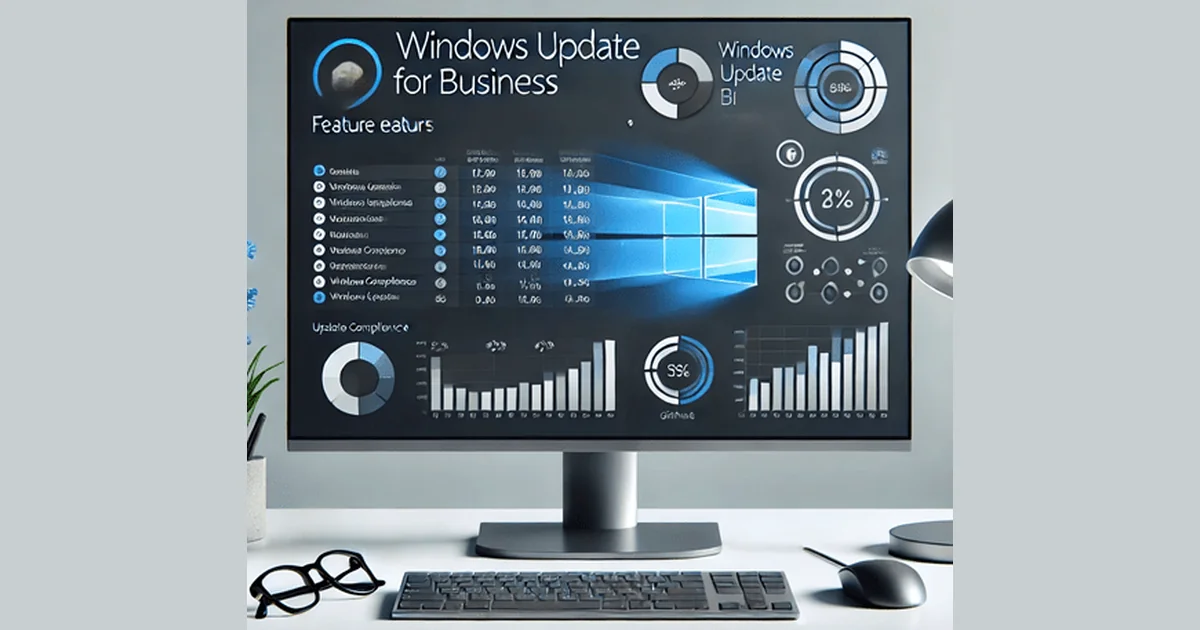
Keeping Windows devices up to date is critical for security and performance.
This collection of seven detailed reports—designed from real customer feedback—helps IT admins track compliance, troubleshoot update issues, and optimize deployments with ease. Browse through the carousel to see each report in action and learn how they can improve your update management strategy.
Cumulative Updates
Provides an overview of the deployment status of monthly cumulative updates, highlighting compliance levels and devices that require attention.
Feature Updates
Tracks the rollout of Windows feature updates across the organization, helping admins assess adoption and identify issues.
Windows Upgrade
Focuses on Windows version upgrades, offering insights into migration trends and potential blockers.
Driver Updates
Tracks the installation of drivers coming from Windows Driver Update Management in Microsoft Intune.
Device Alerts
These alerts are activated as a result of an issue that is device-specific. It isn’t specific to the combination of a specific update and a specific device.
Service Alerts
Alert for both client and service updates. Contains information that needs attention, relative to one device (client), one update, and one deployment (if relevant)
Delivery Optimization
Provides information on bandwidth utilization across content types in the event they use Delivery Optimization and Microsoft Connected Cache.
In-Depth Windows Update for Business Reports
Keeping Windows devices up to date is critical for security and performance.
This collection of seven detailed reports—designed from real customer feedback—helps IT admins track compliance, troubleshoot update issues, and optimize deployments with ease. Browse through the carousel to see each report in action and learn how they can improve your update management strategy.
Want the full suite of Intune reporting? BI for Intune includes these Windows Update for Business reports alongside 29+ pre-built Power BI pages covering compliance, device health, app deployments, and more. Start a free trial →